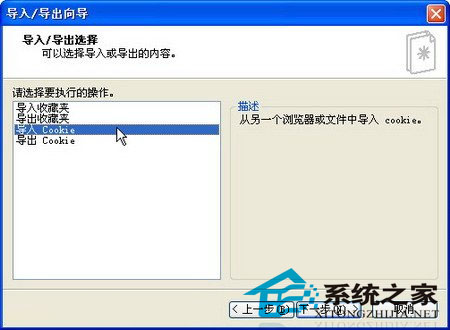
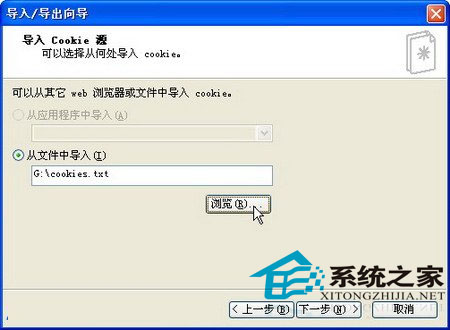
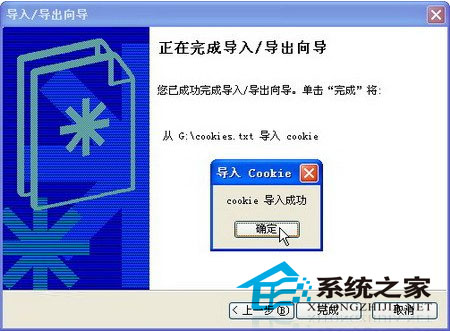
Cookie記錄瀏覽痕跡,可匯入/匯出備份或遷移。以下以IE為例說明匯入流程:
cookies.txt
注意:Cookie儲存路徑隨作業系統與瀏覽器不同。本教程針對WinXP+IE,其他環境請自行確認路徑。
「記憶體不足」錯誤的成因與解決之道
WinXP 登出後重新登入需輸入帳號?登錄檔啟用自動登入修正 (含風險提醒)
軟硬兼施快速縮短 WinXP 開機時間:BIOS 優化、硬碟 DMA 模式、msconfig 精簡啟動項、關閉視覺特效、修改 IDE 通道
WinXP匯出/匯入註冊表檔案完整操作指南
Windows XP Word 工具列消失五大找回法:右鍵選單、自訂、重設範本、刪除 Normal.dot、/a 參數啟動
XP 藍畫面代碼 0x1000000A (0xFFBDF800, 0x2, 0x0, 0x804F5D86) 解決:IRQL_NOT_LESS_OR_EQUAL 驅動/硬體衝突、安裝期指定標準 HAL、關閉 BIOS 快取、拔除非必要裝置
WinXP 螢幕顯示模糊?一鍵調整解析度恢復清晰
WinXP 如何取得區網未使用 IP 位址?批次檔 Ping 掃描法(同 40778)