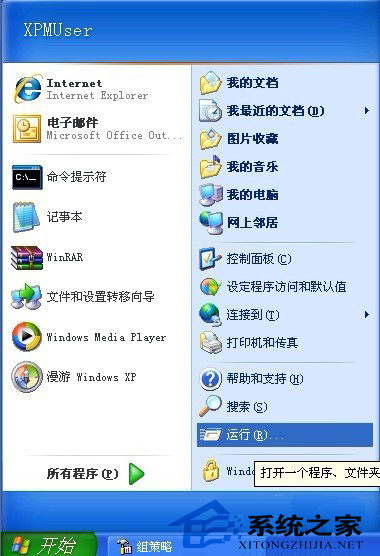
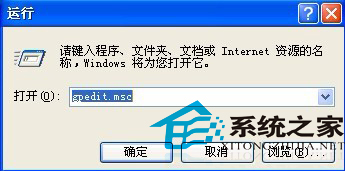
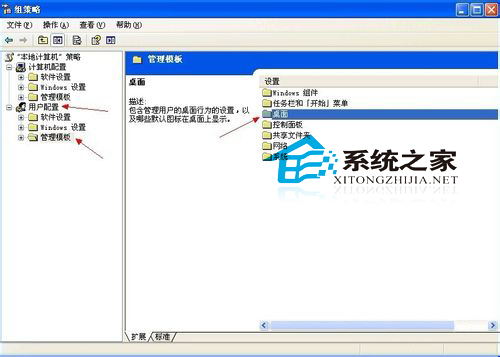
防止使用者誤拖移桌面工具列(快速啟動、語言列等),用群組原則停用調整權限。
gpedit.msc
生效後使用者無法拖曳、調整、新增/移除工具列,桌面配置固定,適合公用電腦、教室、網管環境。
Windows 7 筆電秒變無線 AP:虛擬 Wi-Fi 熱點完整設定教學
Windows XP 帳號安全三重保護:密碼策略、Syskey 雙重加密、密碼重設磁碟
WinXP 無法刪除 AUTORUN.INF 病毒資料夾?CMD 指令強制清除法
XP電腦鍵盤打字反應慢、按鍵遲鈍?調整鍵盤重複速度與游標閃爍率解決
Windows XP 內建壓縮功能完整教學:壓縮、解壓、加密一步到位
WinXP安裝Conexant HD音效晶片驅動失敗?必裝KB888111 UAA總線驅動
筆電意外損傷急救指南:液體潑灑、雷擊、跌落、進異物處理流程
Windows XP 系統優化精華:讓老電腦煥發新生