Windows XP Windows 7 Windows 2003 Windows Vista Windows 綜合教學 Linux 系統教學
Windows 10 Windows 8 Windows 2008 Windows NT Windows Server 電腦軟體教學

WinXP 開機桌面圖示全消失?三大原因與解法:顯示設定、Explorer 重啟、登錄表

編輯:XP 系統應用技巧

開機發現桌面圖示全不見,三種常見原因與解法:

方法一:桌面圖示顯示被關閉

桌面空白處右鍵 →「排列圖示」→ 勾選「顯示桌面圖示」。

方法二:Explorer.exe 掛掉需重啟

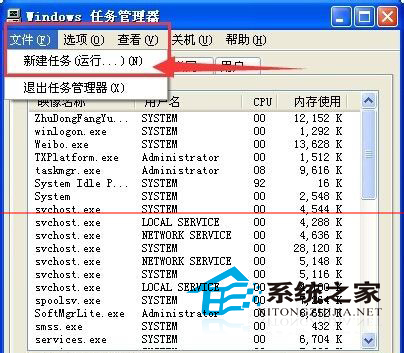
  1. Ctrl+Alt+Del 開啟工作管理員。
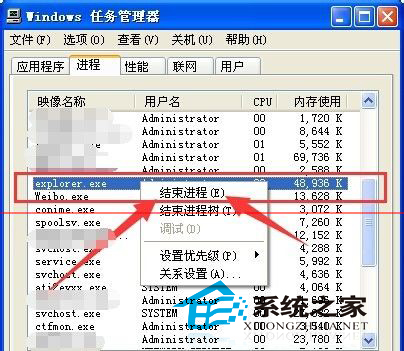
  2. 「程序」分頁找 explorer.exe → 右鍵「結束程序」。
  3. 「檔案」→「新增工作」→ 輸入 explorer.exe → 確定。

方法三:登錄表 NoDesktop 鍵值異常

執行 regedit 檢查 HKEY_CURRENT_USER\Software\Microsoft\Windows\CurrentVersion\Policies\Explorer\NoDesktop 若為 1 改為 0。
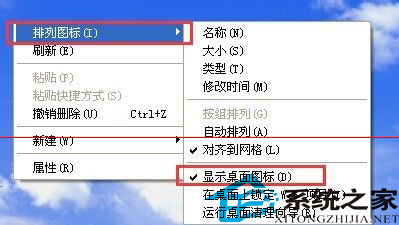
桌面右鍵顯示桌面圖示
工作管理員結束 explorer
新增工作啟動 explorer

方法一最常見、最簡單;方法二適用於 Explorer 當機;方法三為病毒或優化軟體修改登錄表導致。

Copyright © Windows教程網 All Rights Reserved