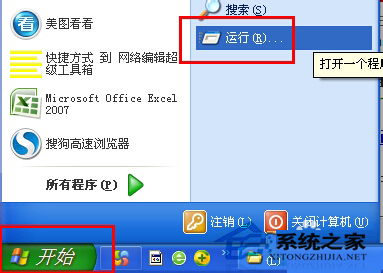
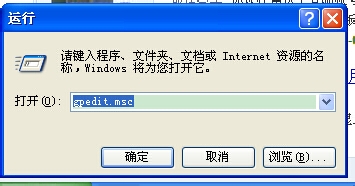
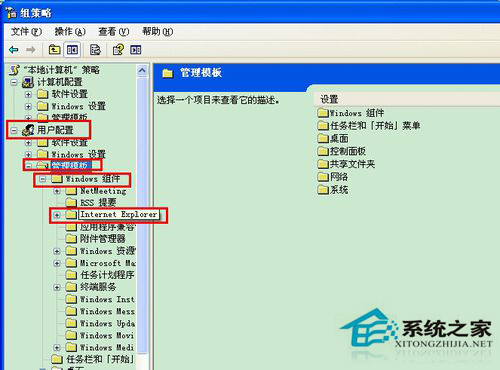
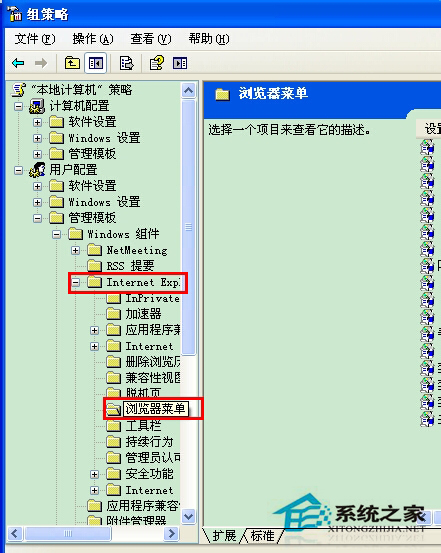
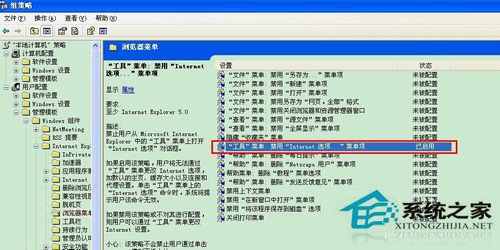
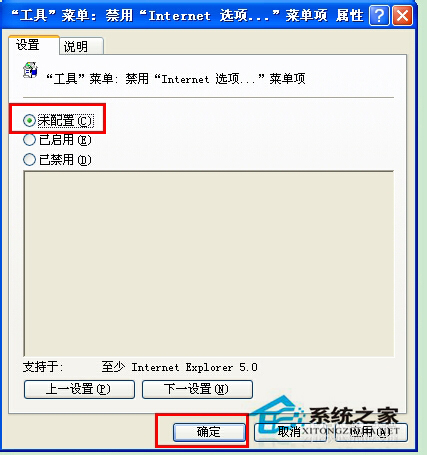
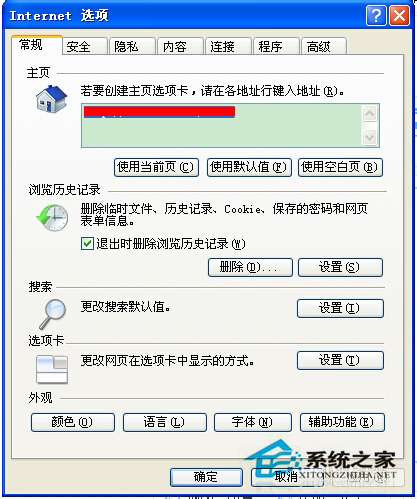
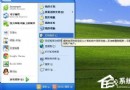
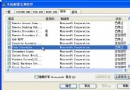
IE 點選「工具」→「Internet 選項」無反應或提示受限,主因群組原則「瀏覽器選單」中「Internet 選項」被設為「已啟用」(實為限制)。將其改為「未設定」即可恢復。
gpedit.msc
此設定常被誤操作或優化工具修改,改回「未設定」即解除限制。
Windows 系統操作密技 60 招:從快速鍵到隱藏功能全掌握
WinXP 任務管理器出現 iexplore.exe?正常瀏覽器進程還是木馬病毒?完整辨識與清除指南
WinXP配置傳真服務完整圖文步驟
木馬病毒藏身處大公開:手動清除特洛伊木馬完整指南
系統還原失敗六大成因與對策:從磁碟空間到雙系統干擾全解析
WinXP 點擊縮圖後檔名消失怎麼辦?檢視模式切換技巧:按住 Shift 切換至「平鋪」再切回「縮圖」恢復檔名顯示
WinXP安裝驅動提示「未通過Windows徽標測試」解決方案
WinXP關閉自動更新後右下角紅盾警告怎麼消除?