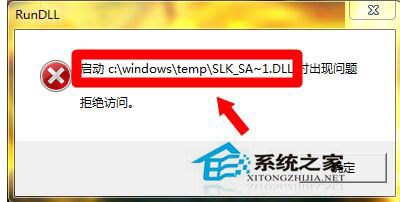
開機出現 Rundll 錯誤視窗,提示無法載入 C:\Windows\Temp\SLK_SA~1.DLL 等暫存檔案。此為惡意程式或殘留軟體在啟動項註冊了 Temp 目錄下的 DLL。提供三步驟徹底清理。
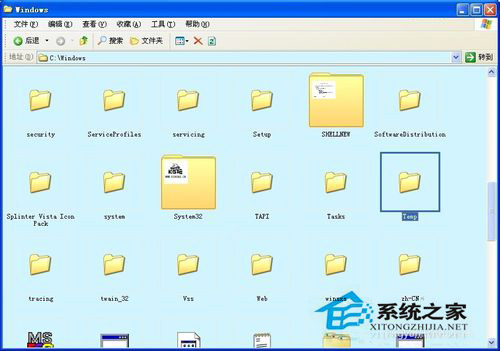
C:\Windows\Temp 內容全選刪除(此為系統暫存目錄,刪除安全)。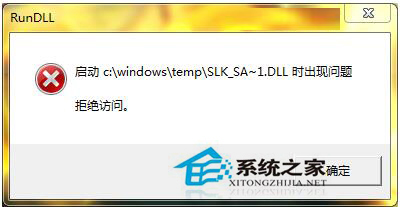
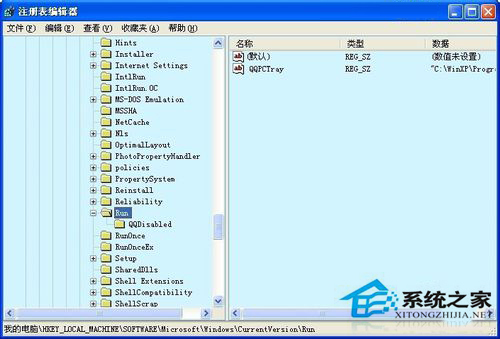
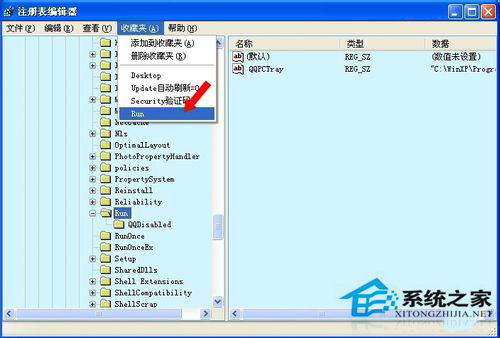
regedit → HKEY_LOCAL_MACHINE\SOFTWARE\Microsoft\Windows\CurrentVersion\Run → 除安全軟體外,其他啟動項全刪除(需要時手動啟動軟體即可)。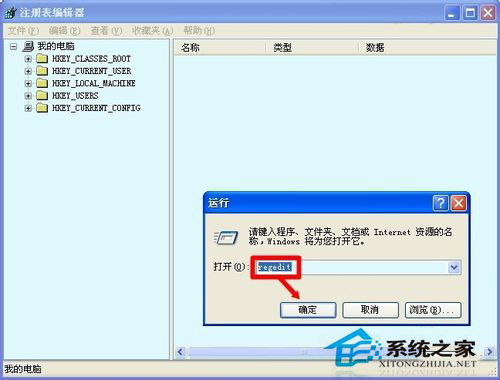
autoruns.exe (Sysinternals) → 掃描所有啟動項 → 取消/刪除可疑項目(特別注意 Temp 目錄下的 DLL 參考)。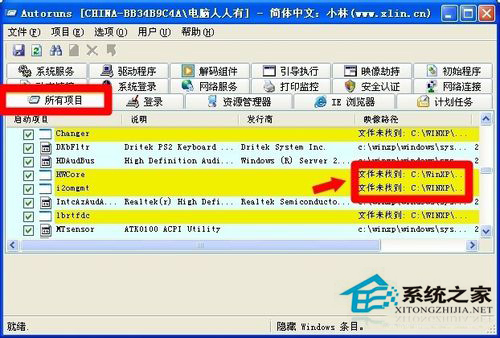
完成上述步驟重開機,Rundll 錯誤通常徹底消失。建議定期檢查啟動項保持系統乾淨。