Windows XP Windows 7 Windows 2003 Windows Vista Windows 綜合教學 Linux 系統教學
Windows 10 Windows 8 Windows 2008 Windows NT Windows Server 電腦軟體教學

Windows XP 登入畫面自訂歡迎/警告訊息:登錄檔設定 LegalNoticeCaption 與 LegalNoticeText

編輯:XP 系統應用技巧

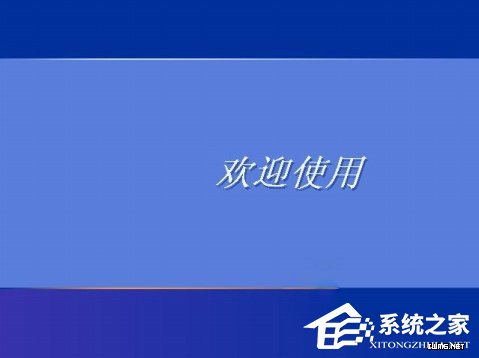
XP 登入畫面預設顯示「歡迎使用」。透過登錄檔可設定自訂標題(LegalNoticeCaption)與內文(LegalNoticeText),實現個性化歡迎或法律警告。

前置:停用歡迎畫面

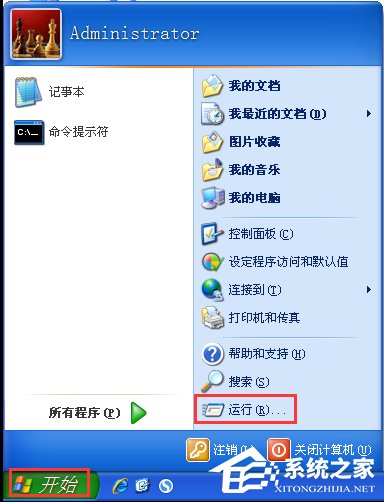
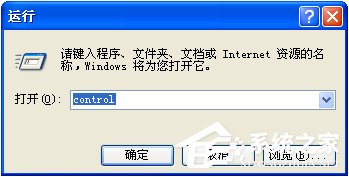
  1. Win+R → control → 開啟控制台
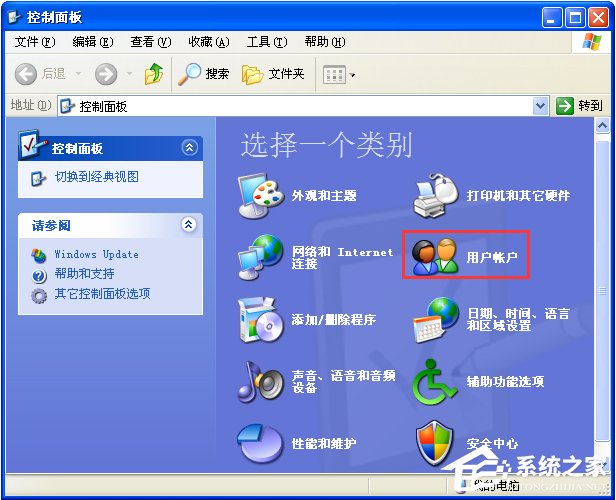
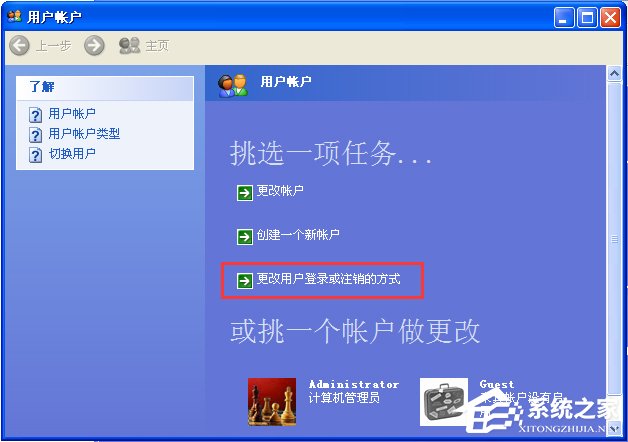
  2. 雙擊「使用者帳戶」
  3. 點選「變更使用者登入或登出的方式」
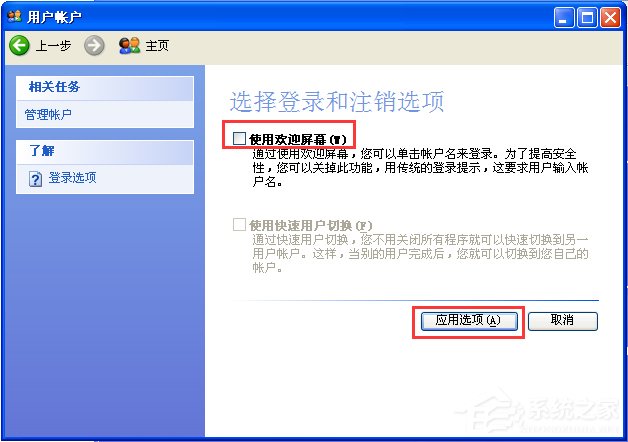
  4. 取消勾選「使用歡迎畫面」→ 「套用選項」
XP 登入畫面預設
執行 control
控制台
使用者帳戶
變更登入方式
取消歡迎畫面

登錄檔設定自訂訊息

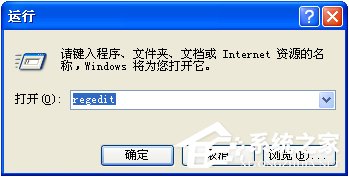
  1. Win+R → regedit(需管理員權限)
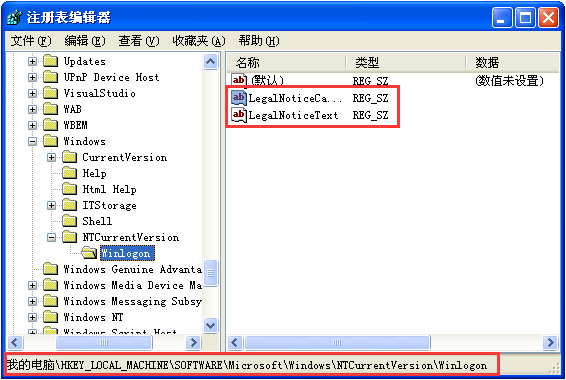
  2. 定位:HKEY_LOCAL_MACHINE\SOFTWARE\Microsoft\Windows NT\CurrentVersion\Winlogon
  3. 右側找/新建兩個字串值:
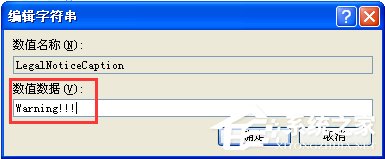
      LegalNoticeCaption(標題)
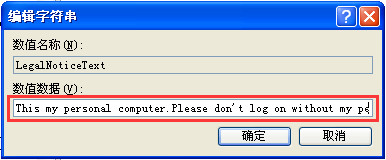
      LegalNoticeText(內文)
  4. 雙擊修改數值資料為想要的文字
  5. 重開機或登出驗證
執行 regedit
Winlogon 鍵值位置
修改 LegalNoticeCaption
修改 LegalNoticeText
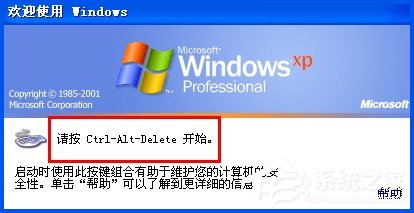
重開機後按 Ctrl+Alt+Del
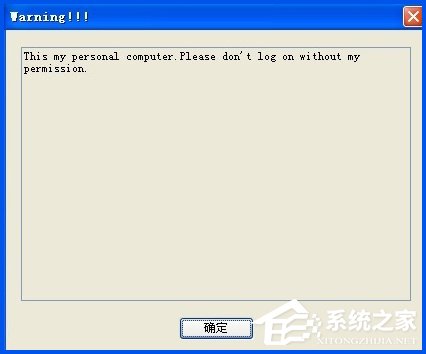
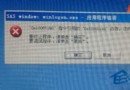
自訂訊息顯示效果

應用場景

  • 企業電腦:法律警告「未經授權存取將追究法律責任」
  • 個人電腦:個性歡迎「歸來仍是少年」
  • 共用電腦:使用規範提醒
「兩個字串值,賦予登入畫面靈魂;停用歡迎畫面是前提,否則不顯示。」

Copyright © Windows教程網 All Rights Reserved