Windows XP Windows 7 Windows 2003 Windows Vista Windows 綜合教學 Linux 系統教學
Windows 10 Windows 8 Windows 2008 Windows NT Windows Server 電腦軟體教學

Windows XP 提示「QQprotect.exe 損壞,請執行 Chkdsk」修復教學

編輯:XP 系統應用技巧

XP 系統常見錯誤:「QQprotect.exe - 損壞的檔案 xxx 已損壞且無法讀取,請執行 Chkdsk 公用程式」。執行磁碟檢查即可自動修復檔案系統錯誤。

操作步驟

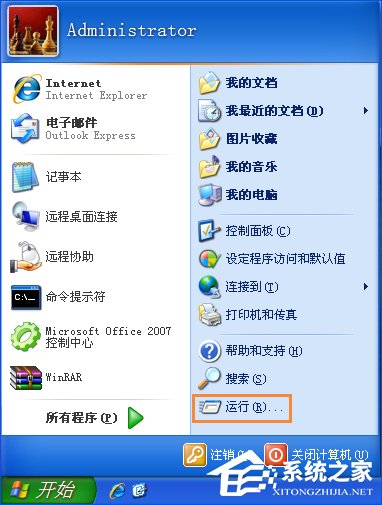
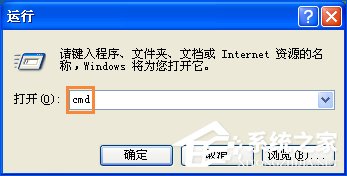
  1. Win+R → 輸入 cmd → Enter
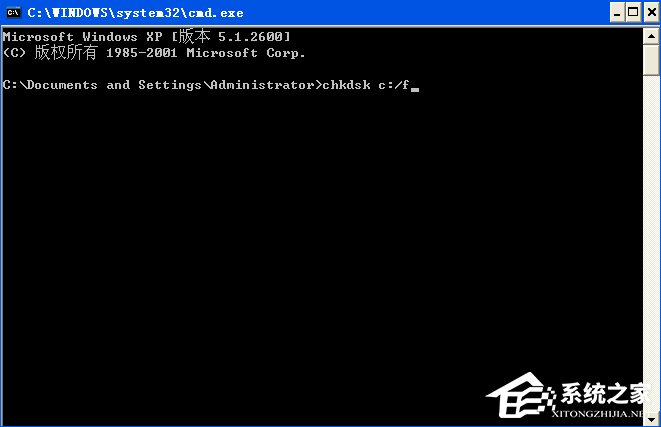
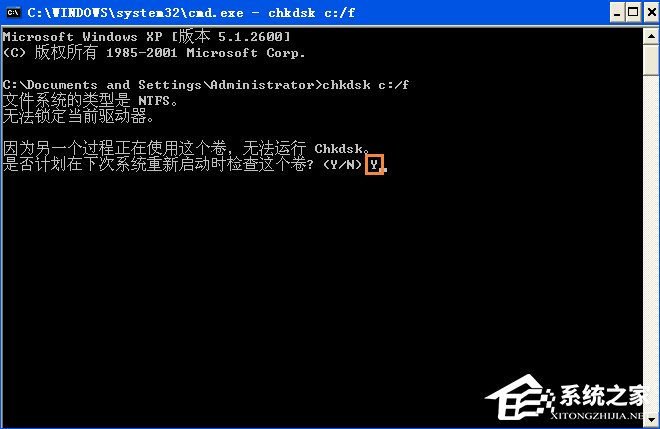
  2. 輸入:chkdsk c: /f(注意 chkdsk 與 c: 之間有空格)
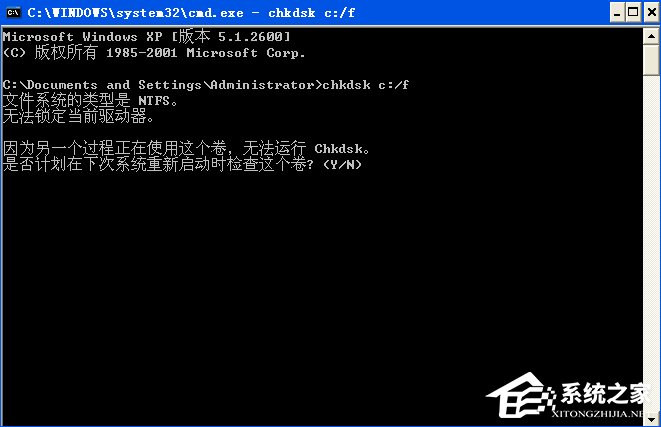
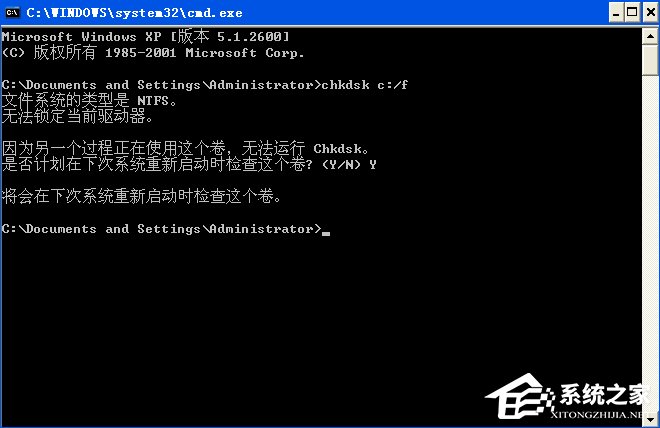
  3. 系統提示「無法鎖定磁碟機,是否在下次重新啟動時檢查?」 → 輸入 Y → Enter
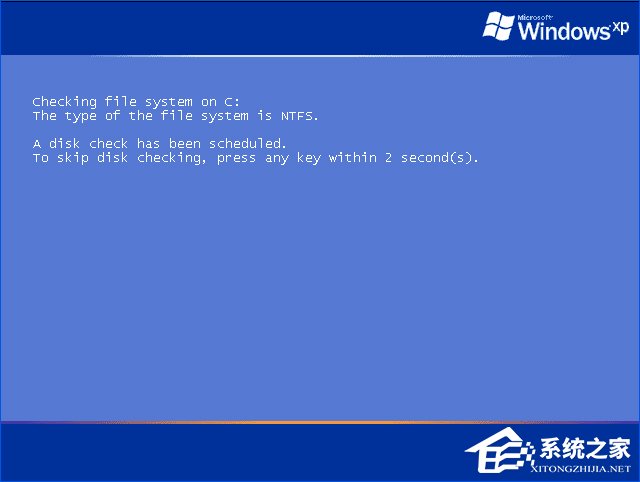
  4. 重開機,系統進入藍底白字檢查畫面,自動掃描修復 C 槽
  5. 完成後進入桌面,問題解決
QQprotect.exe 損壞錯誤視窗
執行視窗
命令提示字元
輸入 chkdsk c:/f
詢問下次啟動檢查
輸入 Y
提示下次啟動檢查
重開機檢查中

Chkdsk 參數說明

  • /f:修復磁碟錯誤
  • /r:尋找壞軌並恢復可讀取資訊(含 /f 功能,耗時較久)
  • c::指定檢查磁碟機,可換 d:、e: 等
「Chkdsk 是檔案系統的醫生,定期體檢(執行 /f),硬碟更長壽。」
Copyright © Windows教程網 All Rights Reserved