Windows XP Windows 7 Windows 2003 Windows Vista Windows 綜合教學 Linux 系統教學
Windows 10 Windows 8 Windows 2008 Windows NT Windows Server 電腦軟體教學

工作列音量圖示不見了?三招快速找回 sndvol32.exe

編輯:Windows XP 系統介紹

工作列音量圖示消失常見三大原因,對症下藥立即恢復。

招 1:控制面板勾選遺漏

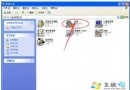
[控制台] → [聲音和音訊裝置] → 勾選 [將音量圖示放入工作列]。

招 2:sndvol32.exe 遺失/損壞

檔案路徑 C:\Windows\System32\sndvol32.exe。修復步驟:

  1. 資料夾選項 → 取消「隱藏已知檔案類型的副檔名」。
  2. XP 光碟放入光碟機(假設 H:)。
  3. 搜尋 sndvol32.ex_ → 複製到 C:\Windows\System32。
  4. 重新命名為 sndvol32.exe(去掉底線),雙擊測試。

招 3:啟動登錄值被誤刪(常伴隨網路連線圖示也消失)

Win+R → regedit → 定位 HKEY_LOCAL_MACHINE\SOFTWARE\Microsoft\Windows\CurrentVersion\Run → 右鍵新增字串值 Systray → 數值資料:C:\Windows\System32\Systray.exe(Win2000 為 C:\WINNT\System32\Systray.exe)。

重開機即恢復。

Copyright © Windows教程網 All Rights Reserved