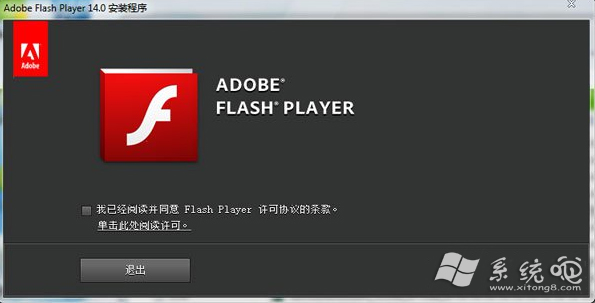
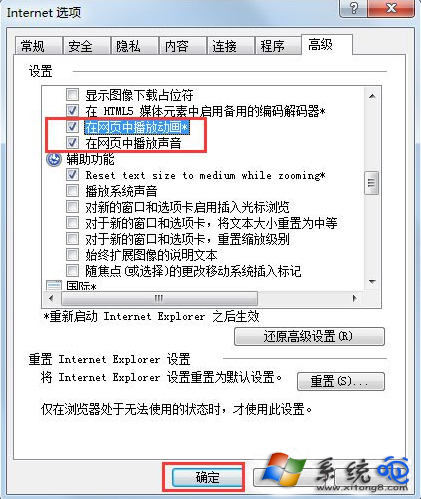
XP IE 瀏覽網頁 Flash 動畫不顯示,兩大解法:重裝 Flash Player ActiveX 控制項、或在 IE 選項啟用多媒體播放選項。
Adobe Flash Player 已於 2020/12/31 終止支援,現代瀏覽器均已移除 Flash 支援。若為維護舊系統相容性,建議使用 Ruffle (Flash 模擬器) 或離線播放器 (如 Flash Player Projector) 開啟 .swf 檔,勿在連網環境執行舊版 Flash 以免安全風險。
Flash Player Projector
WinXP 開機藍屏提示 autochk program not found 三大解決方案:修復登錄、補回檔案、磁碟掃描
Windows XP SP3 即將釋出:整合百餘修補程式、回移植 Vista 新功能、免裝 SP1/SP2
忘記 ADSL 撥號密碼?三步驟輕鬆找回,拒絕斷網焦慮
Windows XP SP3 常見問題 Q&A:整合補丁包的發布背景與安裝疑慮一次看懂
Windows 作業系統長期面臨的十大核心難題
Windows XP 螢幕解析度調整教學:三步驟消除畫面刺眼、保護視力
Windows XP 玩遊戲提示記憶體不足?加裝實體記憶體或調整虛擬記憶體
XP系统六大禁忌:虚拟光驱致死机/激活、无效日期锁机、外置Modem电源、默认共享风险、同分区装98破坏引导、ACPI差机器慎用休眠