Windows 防火牆內建強大的命令列工具 netsh advfirewall(XP/Server 2003 為 netsh firewall),可腳本化完成所有圖形介面操作,適合遠端管理、批次部署與故障排查。以下整理最常用的查詢與設定指令。
| 指令 | 說明 |
|---|---|
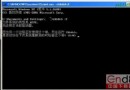
netsh advfirewall show allprofiles | 顯示所有設定檔(Domain/Private/Public)完整設定 |
netsh advfirewall show currentprofile | 僅顯示目前生效的設定檔 |
netsh advfirewall firewall show rule name=all | 列出所有防火牆規則 |
netsh advfirewall monitor show firewall | 顯示當前作用中規則與連線狀態 |
netsh advfirewall monitor show connectionsecurity | 顯示 IPsec 連線安全規則 |
# 開放特定程式(需完整路徑)
netsh advfirewall firewall add rule name="Allow MyApp" dir=in action=allow program="C:\MyApp\app.exe" enable=yes

# 開放特定埠(TCP 80)
netsh advfirewall firewall add rule name="Allow HTTP" dir=in action=allow protocol=TCP localport=80

# 封鎖特定 IP
netsh advfirewall firewall add rule name="Block BadIP" dir=in action=block remoteip=203.0.113.10

# 啟用/停用防火牆(當前設定檔)
netsh advfirewall set currentprofile state on
netsh advfirewall set currentprofile state off

# 重設為預設值(慎用)
netsh advfirewall reset
# 匯出目前設定檔
netsh advfirewall export "C:\Backup\fw_policy.wfw"

# 於另一台電腦匯入
netsh advfirewall import "C:\Backup\fw_policy.wfw"
netsh firewall)netsh firewall show config # 顯示設定
netsh firewall set opmode enable # 啟用
netsh firewall add allowedprogram "C:\App.exe" "MyApp" ENABLE
netsh firewall add portopening TCP 80 "HTTP"
熟練 netsh 即可在無 GUI 環境(Server Core、遠端 SSH)下完整掌控防火牆,並能寫成批次檔實現跨機器一鍵部署。