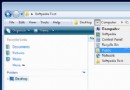
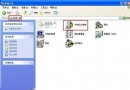
右鍵資料夾屬性找不到「安全性」分頁?兩大可能原因:
唯有 NTFS 支援 ACL(存取控制清單)。轉換指令(以 D 槽為例):convert D: /fs:ntfs (無損轉換,資料保留)。
convert D: /fs:ntfs
簡單共享模式下隱藏安全性分頁。關閉:我的電腦 → 工具 → 資料夾選項 → 檢視 → 取消勾選 使用簡單檔案共享 (建議) → 確定。
確認分區為 NTFS 且關閉簡單共享後,「安全性」分頁即會出現,可設定詳細權限。
WinXP 查看 CPU 型號與效能完整指南:內建工具 + 專業軟體 + 關鍵指標解讀
Win7 關閉硬體加速功能教學:解決投影黑屏、截圖黑畫面問題
Windows XP 自動切換 IP 設定腳本:辦公室靜態 IP 與家庭 DHCP 一鍵切換
NTFS 檔案系統深度解析:從基本觀念到優勢特色
XP系統SD卡無法格式化?三大主因與對應解決方案詳解
快裝 Windows 獨家秘籍:無人值守安裝腳本全自動部署
Windows 用戶擺脫駭客攻擊完整對策 (3/3):安全軟體、木馬防範、郵件防詐、IE 進階設定
手動恢復 XP 歡迎登入介面:找回經典開機體驗