XP雖老但仍廣泛使用,掌握這5招解決高頻痛點:
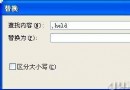
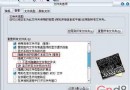
regsvr32 /u shmedia.dll停用預覽,恢復用regsvr32 shmedia.dll。unlock.reg雙擊導入:REGEDIT4[HKEY_CURRENT_USER\Software\Microsoft\Windows\CurrentVersion\Policies\System]"DisableRegistryTools"=dword:00000000HKEY_LOCAL_MACHINE\SOFTWARE\Microsoft\Active Setup\Installed Components\{89820200-ECBD-11CF-8B85-00AA005B4383},IsInstalled值1改0,重開機自動重裝。hosts檔(XP路徑C:\Windows\System32\drivers\etc\hosts)加入:255.255.255.255 download.3721.com255.255.255.255 cdn2.cnnic.cnShow Desktop.scf:[Shell]Command=2IconFile=explorer.exe,3[Taskbar]Command=ToggleDesktop這些技巧直擊註冊表與系統核心組件,操作前建議備份登錄表。