XP 安裝軟體出現 msiexec.exe 應用程式錯誤,主因 Windows Installer 核心檔案 (Msi.dll, Msihnd.dll, Msiexec.exe) 損壞或被鎖定。從正常 XP 電腦複製替換即可修復。
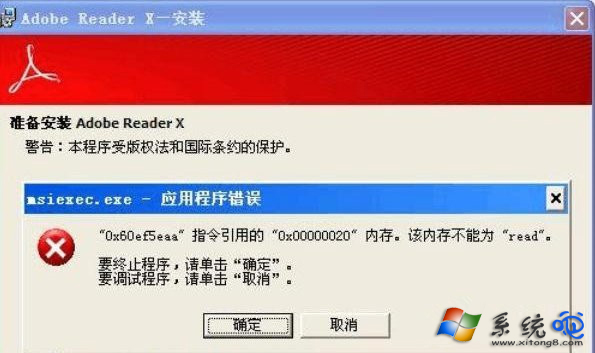
Unlocker 工具(用於解除檔案鎖定)。C:\WINDOWS\System32 下的 Msi.dll, Msihnd.dll, Msiexec.exe 到 USB。msiexec /unregister 取消註冊。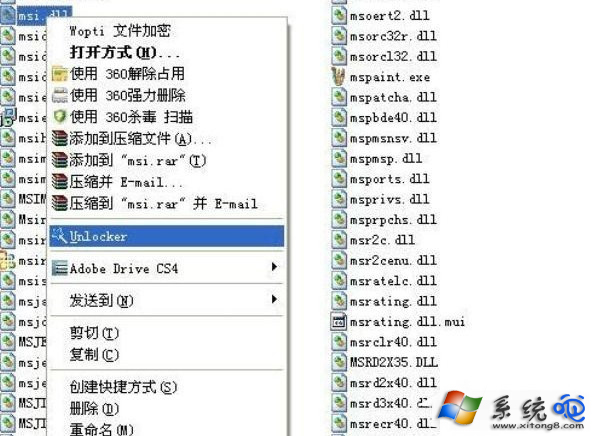
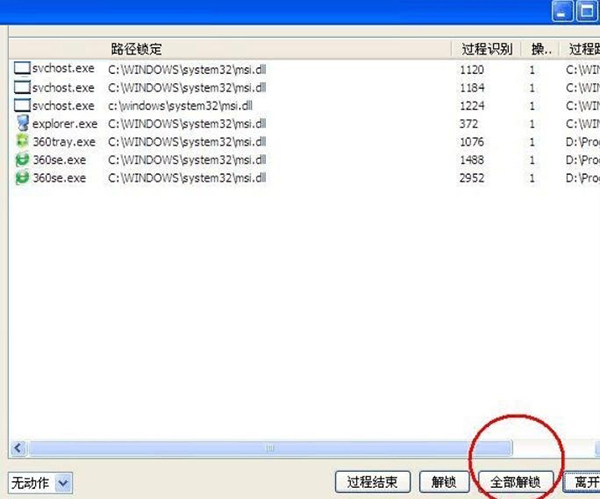
System32。msiexec /regserver 重新註冊。若仍有問題:執行 msiexec /regserver → services.msc 啟動「Windows Installer」服務 → 確認服務狀態為「已啟動」。
此法修復 Windows Installer 核心組件,解決所有 MSI 格式安裝包無法安裝問題。