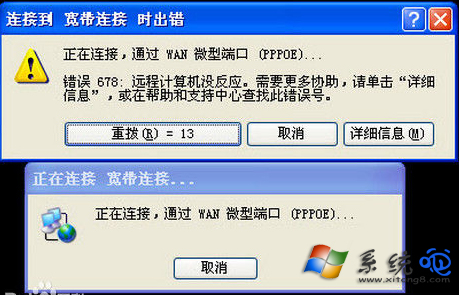
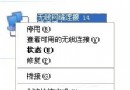
XP 撥號上網出現錯誤 678(遠端伺服器無回應),排查步驟如下:
錯誤 678 多為實體線路、設備或 ISP 端問題,本地設定較少導致。
Windows XP 經典技巧 140 選(前 10 招):免重新啟動、ISO 燒錄、自動登入、快速關機
Windows XP 環境變數完整對照表 批次檔撰寫必備速查
重灌系統後上不了網?六大檢查項目:網卡驅動、網線、IP/DNS、閘道、路由器、直連貓測試
把視窗背景換成護眼綠:Windows自訂色調緩解眼疲勞圖文教學
戴爾 10/22 停售所有 XP 降級電腦,企業用戶仍可透過專案取得 XP 鏡像
讓 Windows XP 開機密碼更強大:啟用 Syskey 系統啟動密碼與製作金鑰磁碟
桌面捷徑失效怎麼辦?分類診斷:系統圖示正常→修復關聯,系統也壞→重灌系統
Windows XP 使用與加速法:登錄調教開關機、XP 減肥實務