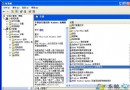
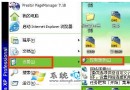
暫時解決方案:
npkcrypt.sys
npkcrypt.vxd
npkcusb.sys
刪除後 QQ 可正常使用,但鍵盤輸入加密保護功能將失效,建議關注騰訊官方更新相容版本。
燒錄機常見四大故障深度解析與解決方案
WinXP 常見系統服務深度解析(六):Network-P 類服務詳細說明與設定建議
重裝系統後必做的五件大事:補丁、殺毒、還原、密碼、服務
真正看懂 SP2 中神秘的數位簽章:Windows 檔案保護機制詳解
系統分區開機磁區損壞怎麼辦?XP 用 fixmbr/fixboot,Vista 自動修復
XP 無法正常關機解決方法:徹底排查硬體與軟體原因
Windows XP 磁碟儲存一句話秘技精選
妙用 USB 隨身碟繞過 Windows XP 登入密碼:Sticky Keys 替換法實戰