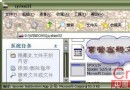
XP/2000 系統檔案損壞連安全模式都進不去時,復原主控台是終極救援工具。啟動兩法:① XP 光碟啟動選「復原主控台」;② XP 運行中安裝:光碟放入 →「執行」輸入 X:\i386\WINNT32.EXE /CMDCONS (X=光碟機) → 選「是」安裝 → 重開機開機選單出現「Microsoft Windows XP Recovery Console」。本文精選 4 大核心指令實戰用法。
Bootcfg /add 或 /scan:重裝 Win 98 導致 XP 無法開機時救援。/add 手動加入 (格式 Multi(0)disk(x)rdisk(0)partition(y),x=XP 所在硬碟,y=分區號);/scan 自動掃描加入。Bootcfg /copy:備份 Boot.ini。Bootcfg /default:設定預設開機項目。語法: Diskpart [/add | /delete] [device_name | drive_name | partition_name] [size] 刪除 F 分區: diskpart /delete F: 建立 200MB 分區: diskpart /add \Device\HardDisk0 200
fixboot [drive]
範例: fixboot d:  (向 D: 系統分區寫入新開機磁區)
無參數: 寫入登入系統分區
主控台中高級服務/驅動無法直接操作,靠此兩指令:
disable 禁用服務/驅動。用法:disable (service_name) (device_driver_name)。執行時會顯示原啟動類型,**務必記下** 以便 enable 恢復。enable 啟用服務/驅動。參數同 disable。Cmdcons 資料夾、Cmldr 檔案。Boot.ini 右鍵「內容」→ 取消「唯讀」→ 記事本開啟刪除主控台項目 → 存檔 → 恢復「唯讀」屬性。掌握這些指令,關鍵時刻能挽救無法開機的系統,避免重灌之苦。
Windows 7 遊戲畫面變扁(4:3 拉伸)解決方案:顯示器端設定 Wide Mode=Aspect
無法進入 XP,提示 hal.dll 損壞或遺失?用復原主控台替換正確 HAL 檔案
微軟下周釋出 XP SP3:開機僅需 35 秒,大幅超越 Vista SP1
Photoshop CS5 操控變形 (Puppet Warp) 完整教學:人物肢體隨心重塑
三招快速還原崩潰 Windows:安全模式還原、命令列還原、DOS 直接啟動 rstrui
如何透過防火牆阻擋 Windows 藍屏攻擊?關閉 NetBIOS、IGMP、ICMP 協定