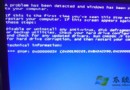
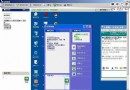
「開始→程式→附件→系統工具→系統還原」→「還原我的電腦到較早時間」→ 選擇還原點 (建議由近及遠嘗試) → 完成重開機。
Win9x 安裝完成後將首次正常啟動的登錄檔存為 C:\System.1st。DOS 下執行:
attrib -h -r -s C:\System.1st
attrib -h -r -s C:\Windows\System.dat
copy C:\System.1st C:\Windows\System.dat
attrib +h +r +s C:\System.1st
attrib +h +r +s C:\Windows\System.dat
重開機常能解決問題。
DOS 下進入 C:\WINDOWS\COMMAND,執行 scanreg /restore,選擇最近一次正常啟動的登錄檔,完成重開機。
Win98 開機軟碟啟動 → 選擇建立虛擬磁碟 (如 F:) 與光碟 (G:) → 執行 Ext.exe → 輸入 CAB 路徑 (G:\Win98)、檔名、目的路徑 (通常 Windows\System) → 確認還原。多檔案可依序處理。
光碟 Tools\Pcrestor,DOS 下執行,速度接近硬碟安裝,不造成資料遺失,硬體偵測多為自動。