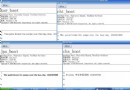
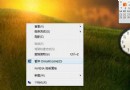
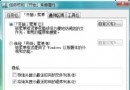
安裝 Vista 時未輸入序號會進入 30 天試用模式。無需等待 30 天,即可用內建工具確認激活狀態。
cmd
slmgr.vbs -dli
補充:若安裝過程輸入非法序號,試用期會縮減為 3 天。建議安裝時勿輸入序號,使用預設試用模式。
Vista NTFS 與 FAT32 互轉完整指南:convert 指令、PQ Magic、中文檔名風險與斷電修復
Vista 系列技巧:常見系統故障解決方法彙總 (啟動修復、壁紙插值、天氣、bootmgr、截圖、盤符、QQ、執行命令)
關閉 Vista 煩人的 UAC (使用者帳戶控制) 提示
Vista 休眠後滑鼠無法喚醒:電源計畫 USB 選擇性暫停導致
Vista 修改 Hosts 檔案「拒絕存取」?以管理員身分開啟記事本即可解決
Vista/Win7 關機重啟快速鍵大全:系統內建與自訂捷徑兩種法
Vista 將微軟雅黑改為宋體:Aero 透明效果與清晰字體雙贏方案
縮短 Vista 系統啟動等待時間:修改註冊表 BootExecute 數值