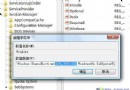
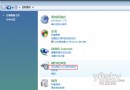
示範如何使用 Vista 內建「啟動修復」修復因關鍵檔案遺失導致的無法開機問題。
開始選單搜尋「系統還原」→ 啟用「開啟系統保護」→ 「建立」依嚮導完成。還原點非檔案修復必需,但出錯時有幫助。
移除 Vista 必備檔 %windir%\System32\Winload.exe(需在 WinRE 環境下):
move C:\Windows\System32\Winload.exe C:\Windows\System32\Winload.exe.backup。注意:若修復後仍無法開機,回到「系統修復選項」執行「系統還原」。
Vista 桌面主題安裝完整指南:.theme 與 .msstyles 兩種格式差異與佈署方式
Vista 小鍵盤輸入數字失效、NumLock 亮卻無用?「輕鬆存取中心」關閉滑鼠鍵即解
Vista 八大進階應用技巧:管理員 CMD、擴展右鍵、DPI 縮放、截圖工具、音效增強、啟動修復、問題報告、BitLocker
Windows Vista 在 512MB 記憶體下的驚人表現:實測報告
Vista 藍屏代碼大全:38 個常見錯誤代碼含義與解決方案
解決 wmpnetwk.exe 佔用高 CPU:關閉 Windows Media Player 網路共享服務
修改 Award BIOS 植入 SLIC 2.1 實現 OEM 版 Vista 激活(以技嘉 GA-8I915G Pro 為例)