Windows XP Windows 7 Windows 2003 Windows Vista Windows 綜合教學 Linux 系統教學
Windows 10 Windows 8 Windows 2008 Windows NT Windows Server 電腦軟體教學

使用 Vista「啟動修復」修復缺失 winload.exe 導致的無法開機

編輯:Windows Vista 教學

場景模擬

故意刪除 C:\Windows\System32\winload.exe 導致 Vista 無法啟動,示範使用安裝光盤「啟動修復」自動修復流程。

準備工作

  • 建立系統還原點(開始 → 搜尋「系統還原」→ 開啟系統保護 → 建立)。
  • 備份重要資料。

製造故障(僅供測試環境)

  1. Vista 安裝光盤啟動 → 選語言 → 「修復電腦」 → 選作業系統 → 「命令提示字元」。
  2. 執行:move C:\Windows\System32\winload.exe C:\Windows\System32\winload.exe.backup。
  3. 重啟,系統將提示啟動失敗,建議執行修復。

啟動修復步驟

  1. Vista 安裝光盤啟動 → 選語言 → 「修復電腦」。
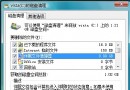
  2. 選作業系統 → 進入「系統修復選項」。
  3. 點擊「啟動修復」。
  4. 系統自動診斷根因(會顯示偵測到缺失 winload.exe)並自動修復(從備份或安裝媒體恢復檔案、重建 BCD)。
  5. 點擊「詳細資料」可查看診斷測試項目。
  6. 修復完成點擊「完成」重啟。

後續建議

若修復後仍無法啟動,回到「系統修復選項」執行「系統還原」回溯至先前還原點。

核心優勢

全自動診斷修復,無需使用者具備啟動故障排除知識,大幅降低維護門檻。

Copyright © Windows教程網 All Rights Reserved