Windows XP Windows 7 Windows 2003 Windows Vista Windows 綜合教學 Linux 系統教學
Windows 10 Windows 8 Windows 2008 Windows NT Windows Server 電腦軟體教學

解決 Windows Server 2012 安裝 .NET Framework 提示找不到來源檔案

編輯:Windows Server 常見問題解答

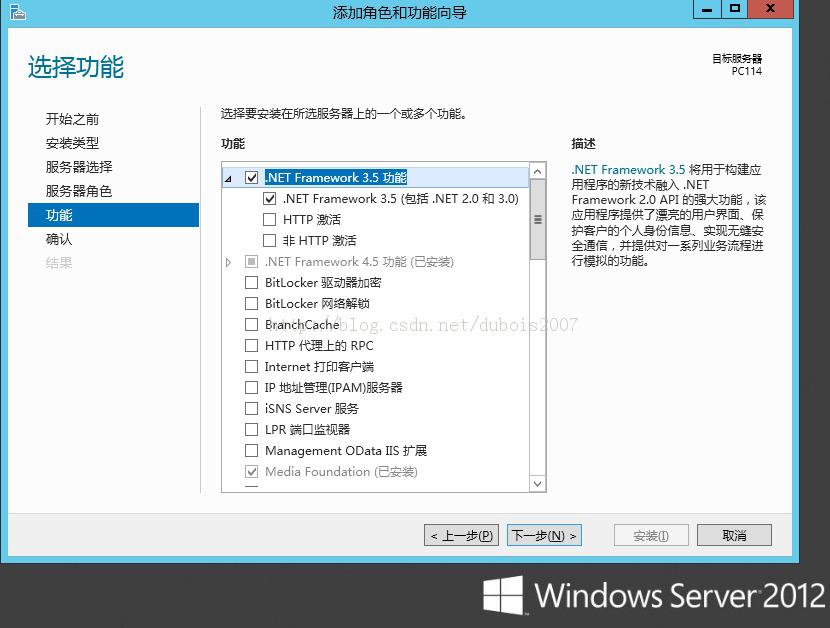
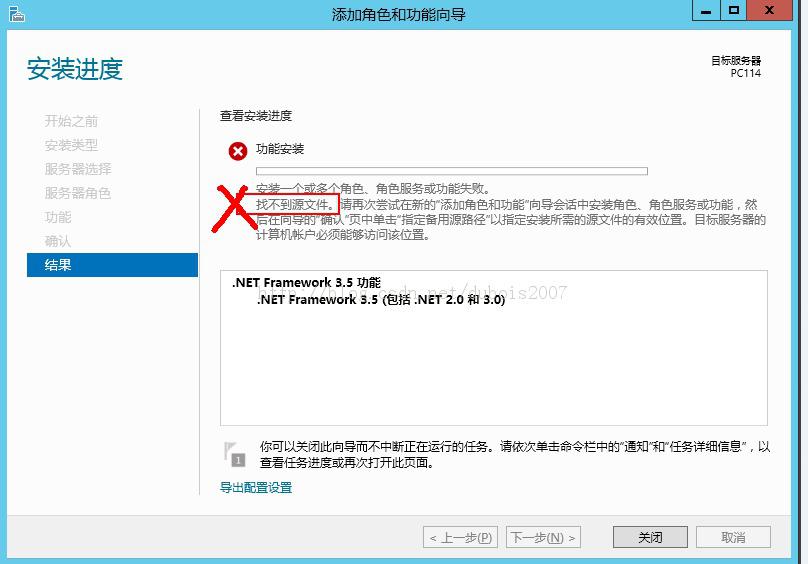
在 Windows Server 2012 上透過「新增角色與功能」安裝 .NET Framework 3.5 時,若系統找不到安裝來源檔案,會顯示錯誤訊息要求指定替代來源路徑。

原因

Windows Server 2012 將 .NET 3.5 組件存放於安裝媒體的 \sources\sxs 目錄,預設不複製到本機硬碟。若伺服器無法存取 Windows Update 下載缺失檔案,則需手動指定來源。

解決方法

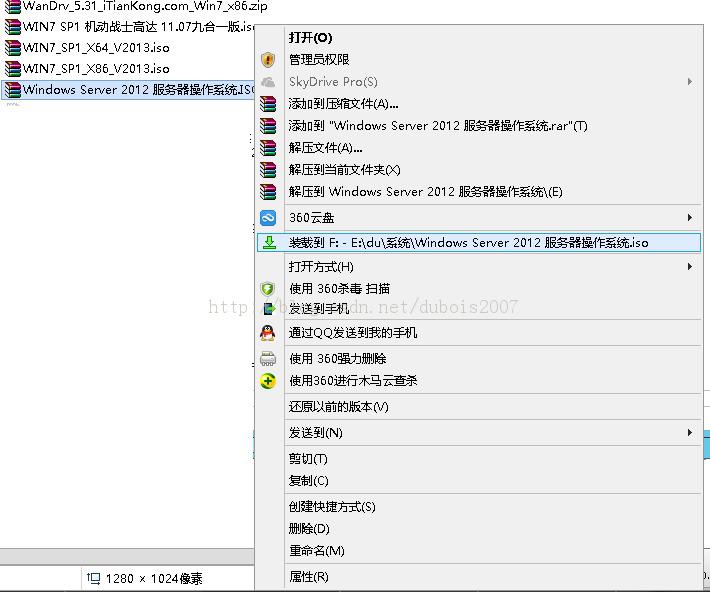
  1. 插入 Windows Server 2012 安裝光碟,或掛載 ISO 映像檔至虛擬光碟機。
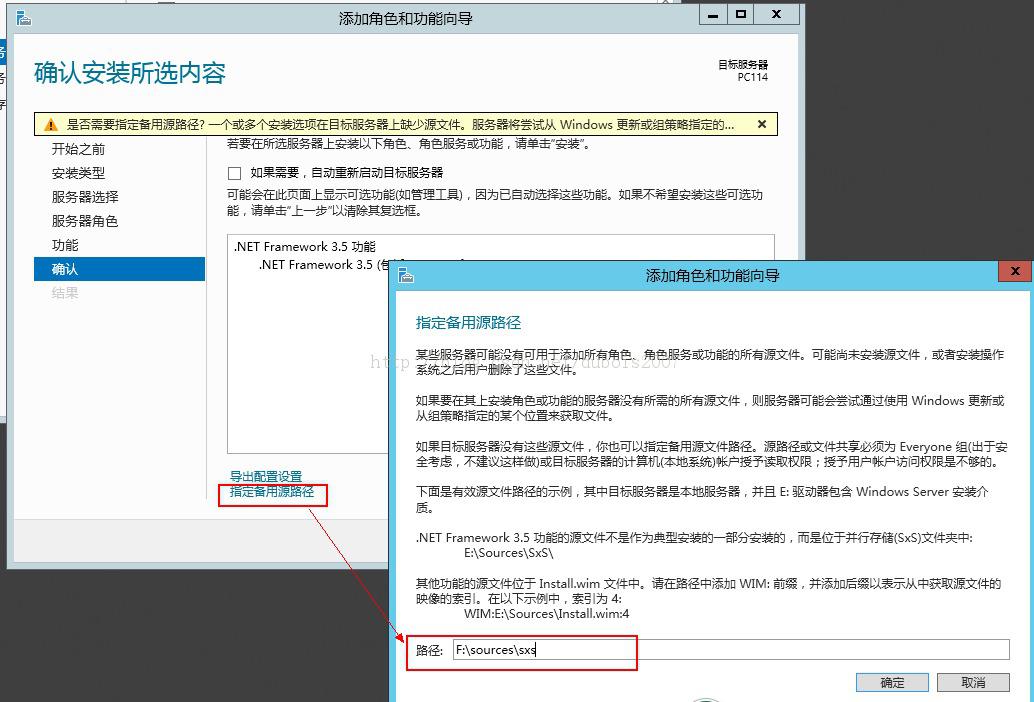
  2. 在「新增角色與功能精靈」的「確認安裝選項」頁面,點選指定替代來源路徑。
  3. 輸入路徑:D:\sources\sxs (視光碟機代號調整)。
  4. 確認後繼續安裝,即可成功啟用 .NET Framework 3.5。

錯誤訊息:找不到來源檔案 指定替代來源路徑 輸入來源路徑 安裝成功

此方法同樣適用於 Windows Server 2012 R2 環境。

Copyright © Windows教程網 All Rights Reserved