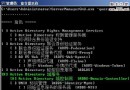
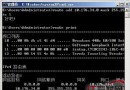
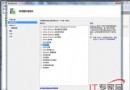
惡意使用者可能利用 Ping 洪水攻擊癱瘓伺服器,或透過 ICMP 回應偵測主機存活、推測網路拓撲。為提高安全性,建議在防火牆層面封鎖 ICMPv4 回應請求。
完成後,區域網內任何主機 Ping 該伺服器將無回應,有效防範 ICMP 掃描與洪水攻擊。
Windows Server 2008/2012 共享資料夾權限設定完整教學:原生功能與第三方工具進階管控
Windows Server 2008 搭建終端服務器完整部署指南
Windows 授權管理工具 slmgr.vbs 完整參數詳解與 Volume Activation 2.0 部署實務
Windows Server 2008 IIS 7 安裝與部署網站完整教學
Windows Server 2008 命令列磁碟管理:Diskpart 指令、腳本自動化、Server Core 環境部署實戰