Windows XP Windows 7 Windows 2003 Windows Vista Windows 綜合教學 Linux 系統教學
Windows 10 Windows 8 Windows 2008 Windows NT Windows Server 電腦軟體教學
您现在的位置: Windows教程網 >> Windows教程 >  >> Windows Server 系統教學 >> Server 2003

解決 SQL Server 2000 安裝掛起/凍結:刪除 PendingFileRenameOperations 登錄值

編輯:Server 2003

現象

SQL Server 2000 安裝程式啟動後長時間無反應(掛起),重試無效。

根因

登錄檔 HKEY_LOCAL_MACHINE\SYSTEM\ControlSet001\Control\Session Manager 下的 PendingFileRenameOperations 值殘留待重命名檔案操作(通常因前一次安裝/更新需重開機未完成),導致安裝程式檢測到系統處於「待重開機」狀態而拒絕繼續。

解決步驟

  1. 執行 regedit。
  2. 瀏覽至 HKEY_LOCAL_MACHINE\SYSTEM\ControlSet001\Control\Session Manager。
  3. 找到 PendingFileRenameOperations,**刪除該值**(非刪除整個金鑰)。
  4. 關閉登錄編輯器,重新執行 SQL Server 2000 安裝程式。

補充避坑指南

  • **安裝路徑勿含中文**:如 F:\軟體\sql2000 會導致安裝失敗,請用純英文路徑(如 F:\Software\sql2000)。
  • 安裝前建議重開機一次,確保無掛起的檔案重命名操作。
  • 若仍失敗,檢查系統事件檢視器 Application 日誌中的 MsiInstaller 錯誤代碼進一步診斷。
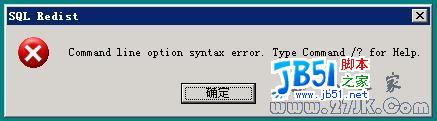
PendingFileRenameOperations 登錄值位置 正確安裝路徑範例

Copyright © Windows教程網 All Rights Reserved