Windows XP Windows 7 Windows 2003 Windows Vista Windows 綜合教學 Linux 系統教學
Windows 10 Windows 8 Windows 2008 Windows NT Windows Server 電腦軟體教學
您现在的位置: Windows教程網 >> Windows教程 >  >> Windows Server 系統教學 >> Server 2003

Windows Server 2003 釋放記憶體工具 Empty.exe 使用教學

編輯:Server 2003

Windows Server 2003 內建 Empty.exe 小工具,可釋放應用程式佔用但未及時釋放的記憶體資源,不同於第三方記憶體最佳化軟體會強制釋放導致硬碟頻繁讀寫,Empty.exe 僅釋放必要資源,系統負擔極低。
工具特點

  • ✅ 僅釋放必要資源,不強制釋放所有記憶體
  • ✅ 不增加硬碟負擔,避免效能抖動
  • ✅ 原生內建,無需安裝第三方軟體
  • ⚠ 僅支援 Windows Server 2003,Windows 2000/XP 無法使用
Empty.exe 工具介面

使用語法

Empty.exe <PID>          (依進程 ID 釋放)
Empty.exe <工作名稱>     (依進程名稱釋放)
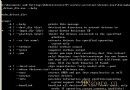
命令列使用範例

適用性說明

版本適用性說明

確認您的系統為 Windows Server 2003 後即可放心使用。針對長期運行的伺服器,定期對記憶體洩漏的服務進程執行 Empty.exe 可緩解記憶體壓力,延長重啟週期。

Copyright © Windows教程網 All Rights Reserved