Windows XP Windows 7 Windows 2003 Windows Vista Windows 綜合教學 Linux 系統教學
Windows 10 Windows 8 Windows 2008 Windows NT Windows Server 電腦軟體教學
您现在的位置: Windows教程網 >> Windows教程 >  >> Windows Server 系統教學 >> Server 2003

Windows 2003 開啟「本地使用者和群組」提示無權限?群組原則允許 MMC 管理單元

編輯:Server 2003

Windows Server 2003 執行 lusrmgr.msc 開啟「本地使用者和群組」提示 「無權限管理這個單元」,因群組原則限制了 MMC 管理單元。修改原則允許即可解決。

解決步驟

  1. Win + R → gpedit.msc 開啟群組原則。
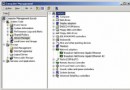
  2. 展開:「使用者設定」 → 「系統管理範本」 → 「Windows 元件」 → 「Microsoft Management Console」 → 「受限制的/允許的管理單元」。
  3. 找到 「本地使用者和群組」,雙擊設為 「允許」,確定。
  4. 同目錄下的「磁碟管理」、「裝置管理員」等單元同理可解除限制。

修改生效後,lusrmgr.msc 即可正常開啟管理本地帳戶與群組。

Copyright © Windows教程網 All Rights Reserved