IE 瀏覽網頁時頻繁彈出「Microsoft Internet Explorer 遇到問題需要關閉」訊息,干擾工作。依作業系統版本對症下藥,永久關閉錯誤回報功能。
Windows 9x / Me / NT / 2000 + IE 6.0
- 開啟登錄編輯器(
regedit)。
- 定位至:
HKEY_LOCAL_MACHINE\SOFTWARE\Microsoft\Internet Explorer\Main
- 右側新增 DWORD 值:
IEWatsonEnabled,數值設為 0。
- 重開機生效。
Windows XP + IE 6.0
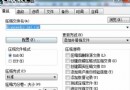
- 「控制台」→「系統」→「進階」分頁 → 「錯誤回報」按鈕。
- 勾選「停用錯誤回報」,並勾選「但發生嚴重錯誤時通知我」。
- 按「確定」套用。
IE 5.x(含 Windows 98/Me)
- 「控制台」→「新增/移除程式」。
- 清單中找到「Internet Explorer Error Reporting」,按「變更/移除」解除安裝。
補充說明
- 關閉錯誤回報不影響系統穩定性,僅停止傳送崩潰資訊給微軟。
- 若仍頻繁當機,建議更新 IE 至最新版、修復系統檔案(
sfc /scannow)或改用 Chrome/Edge 現代瀏覽器。