許多用戶嘗試在「程式與功能」中尋找 Windows Media Player 卸載,實際上它屬於 Windows 功能元件,需透過「開啟或關閉 Windows 功能」移除。
操作步驟
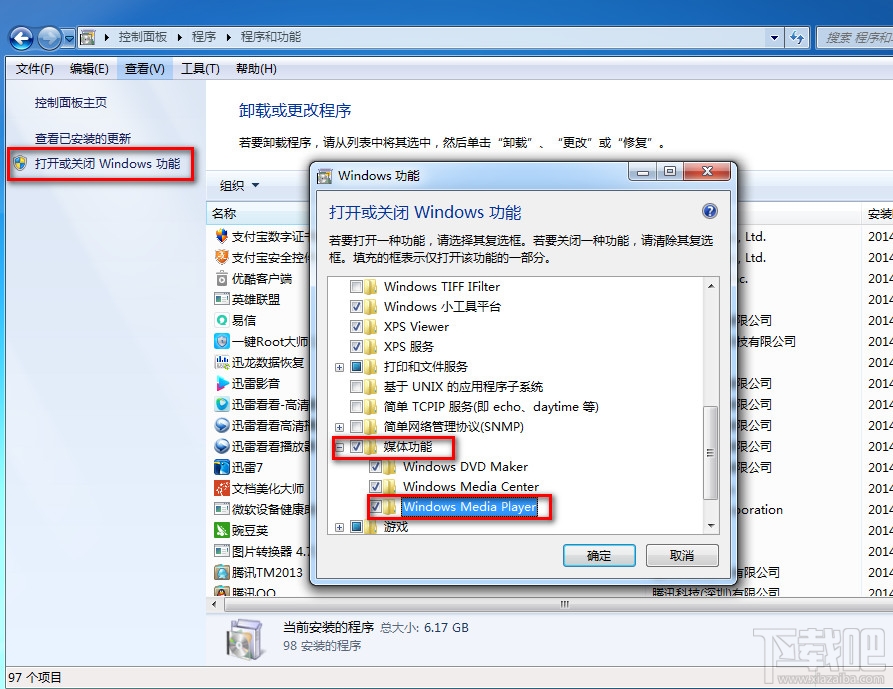
- 開啟「控制台」→「程式」→「程式與功能」,左側點選「開啟或關閉 Windows 功能」。
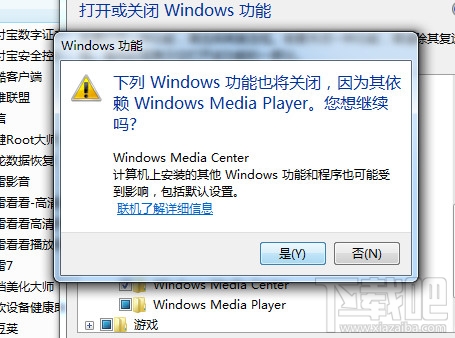
- 展開「媒體功能」,取消勾選「Windows Media Player」。
- 彈出確認視窗點選「是」,系統開始移除元件,需等待數分鐘。
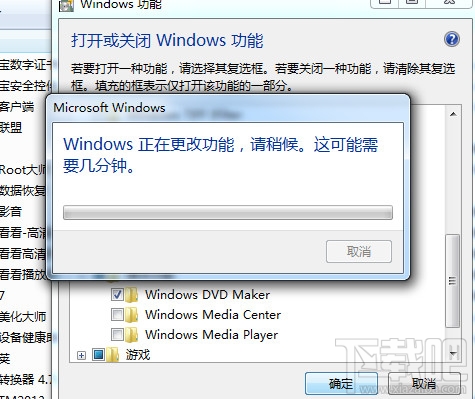
完成與重啟
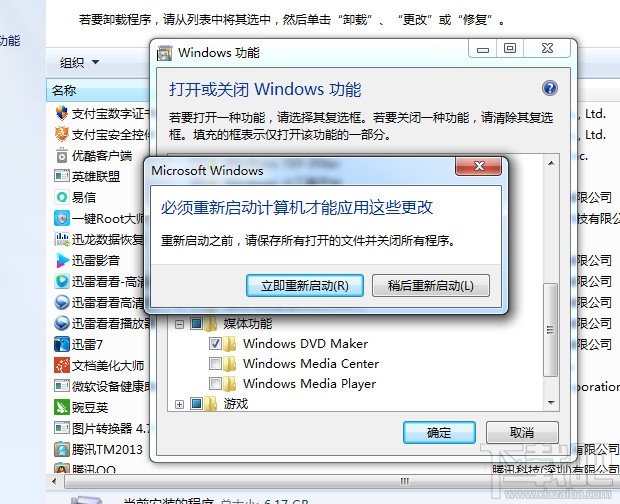
移除完成後系統提示重新啟動。重啟過程中會顯示「正在設定 Windows 功能」,請勿強制關機。重新進入桌面後,Windows Media Player 已從系統中移除。
補充說明
- 移除後關聯的媒體播放功能將失效,建議預先安裝第三方播放器(如 VLC、PotPlayer、MPC-BE)。
- 若未來需要,可同樣路徑重新勾選安裝。
- 企業環境可透過 DISM 或群組原則批次管理此功能。