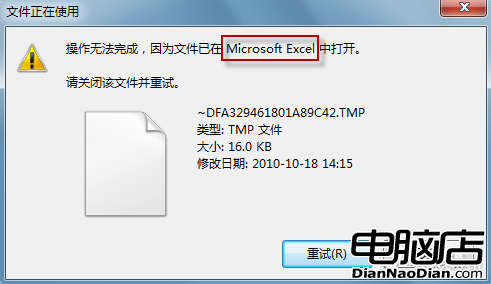
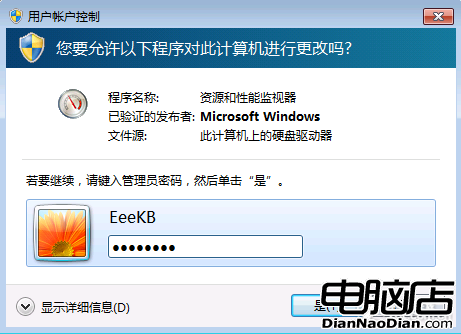
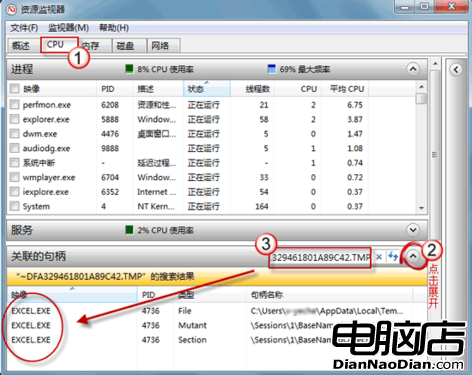
刪除檔案時提示「檔案正在使用」,但工作列顯無程式執行。Win7 改進的對話框會顯示呼叫程式,若仍無法刪除,可用「資源監視器」深度排查。
Win7 優化讓老電腦煥發青春:視覺效果、啟動項、靜態 IP、主題、版本選擇五大招
傳 Windows 9 明年 11 月見:Beta 1 月、RC 7 月、RTM 10 月,專注開始畫面開發
觀點:微軟不該妥協恢復開始按鈕,應堅持觸控願景並加強教育
Windows 10 Build 9901:Modern 設計語言全面改進
Windows 8.1 預覽版發布:開始鍵回歸、直入桌面、搜尋整合、SkyDrive 深度綁定、支援 3D 列印
傳微軟正在開發64位Windows RT系統 為ARM 64位處理器鋪路
Firefox Metro 版支援螢幕鍵盤,觸控體驗再升級
Win10 開始選單完全使用指南:固定應用/資料夾、自訂分類命名、左側內容開關、全螢幕模式、右鍵快捷選單