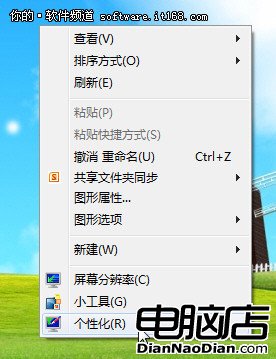
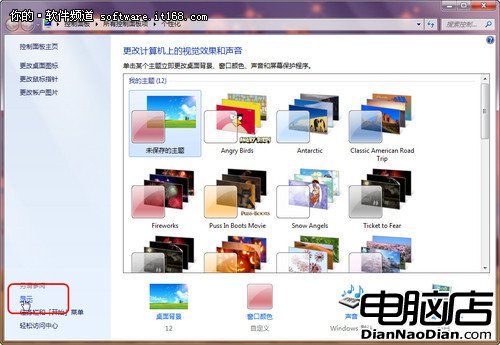
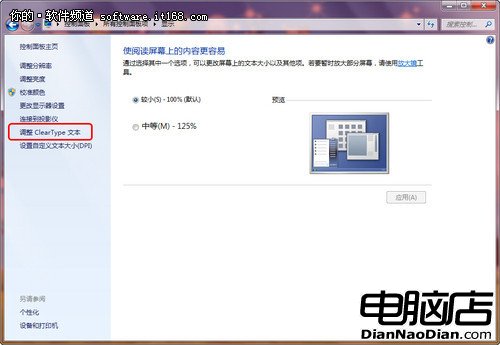
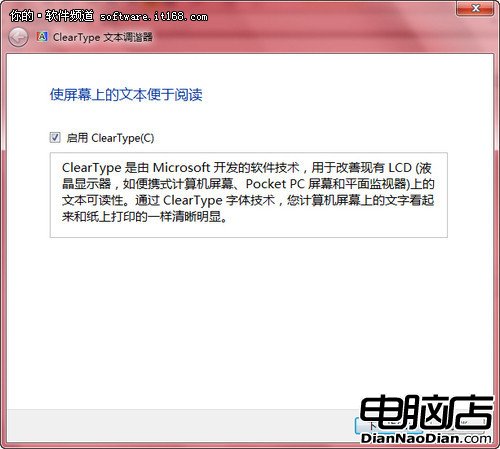
Windows 7 內建 ClearType 文字微調技術,能針對不同顯示裝置優化字型銳利度,解決非標準解析度下字體邊緣模糊問題,讓電子書閱讀更舒適。
Win7 尚有許多人性化功能,在安全性、穩定性上較 XP、Vista 大幅躍升,科技貼心關懷讓人對未來更嚮往。
WP8.1 將採用新型大尺寸動態磚,配合通知中心與 Cortana 全面升級
Windows 9 中的 Cortana 邁進關鍵步:以應用形式呈現
電腦關機後自動重啟?四大主因與三步解決方案
Win7 效能監視器:即時掌握系統資源的內建神器
微軟建議勿用第三方隱私屏蔽工具,可能導致系統功能異常
全系 Windows 10 設備均可一鍵開發者解鎖
Win8.1 Build 9477簡中版洩露:RTM分支8/3編譯,三周前給OEM,接近最終版,郵件新配色/幫助圖示變更/開始畫面更多壁紙
UWP 版微信將於 7 月上架 Windows 10 應用商店,跨裝置統一體驗