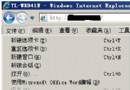
顯卡驅動安裝後,桌面右鍵常多出一或多項無用選單,拖慢彈出速度。用批次檔一鍵清理相關註冊表項,恢復乾淨右鍵選單。
clean_context_menu.bat 以系統管理員身分執行)@ECHO OFF
title 清除所有多餘的桌面右鍵選單
color 1a
PAUSE
regsvr32 /u /s igfxpph.dll
reg delete HKEY_CLASSES_ROOT\Directory\Background\shellex\ContextMenuHandlers /f
reg add HKEY_CLASSES_ROOT\Directory\Background\shellex\ContextMenuHandlers\new /ve /d {D969A300-E7FF-11d0-A93B-00A0C90F2719}
reg delete HKEY_LOCAL_MACHINE\SOFTWARE\Microsoft\Windows\CurrentVersion\Run /v HotKeysCmds /f
reg delete HKEY_LOCAL_MACHINE\SOFTWARE\Microsoft\Windows\CurrentVersion\Run /v IgfxTray /f
regsvr32 /u /s igfxpph.dll:靜默取消註冊 Intel 顯卡右鍵外掛 DLL。reg delete ... ContextMenuHandlers /f:強制刪除「桌面背景右鍵擴充」下所有自訂處理程式。reg add ... ContextMenuHandlers\new ...:重新建立預設的「新增」選單處理程式(GUID 為系統內建)。HotKeysCmds、IgfxTray:移除 Intel 顯卡熱鍵與托盤圖示常駐程式。注意: 僅針對 Intel 顯卡常見殘留項。NVIDIA/AMD 顯卡若有類似問題,需對應刪除其專屬 GUID。執行前建議匯出相關註冊表分支備份。