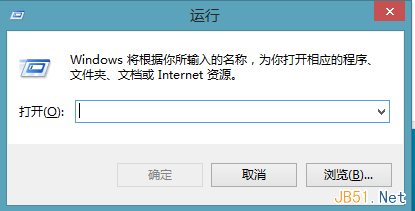
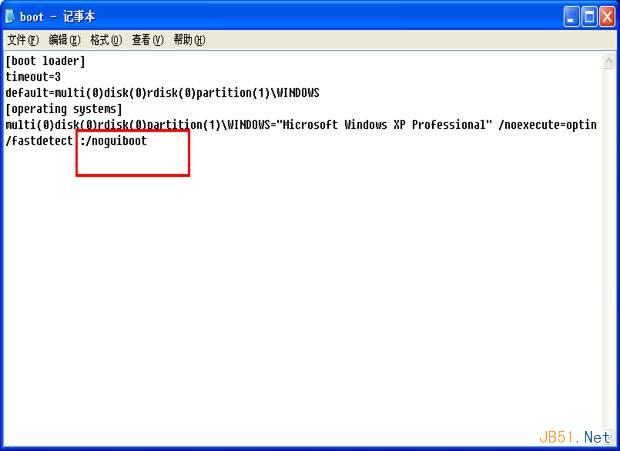
Windows XP 開機時顯示的 Windows 標誌捲動條畫面(GUI Boot)約耗時 3-5 秒。修改 `Boot.ini` 加入 `/noguiboot` 參數可略過圖形化啟動畫面,直接進入登入/桌面,微幅縮短開機時間。
multi(0)disk(0)rdisk(0)partition(2)\WINDOWS="Microsoft Windows XP Professional" /fastdetect/noguiboot → 變為:multi(0)disk(0)rdisk(0)partition(2)\WINDOWS="Microsoft Windows XP Professional" /fastdetect /noguiboot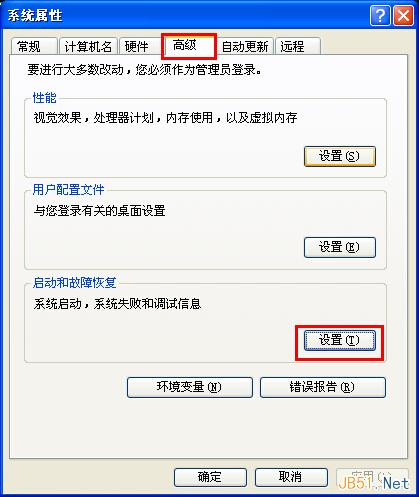
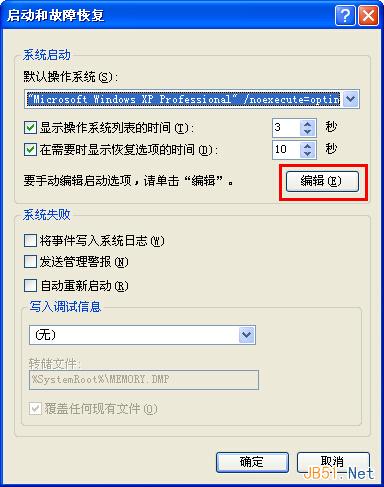
| 參數 | 功能 |
|---|---|
| /sos | 顯示驅動程式載入名稱(除錯用) |
| /bootlog | 建立 `ntbtlog.txt` 開機記錄 |
| /basevideo | 使用標準 VGA 驅動開機(解決顯卡驅動衝突) |
| /maxmem= | 限制 Windows 使用記憶體上限(MB) |
| /numproc= | 限制使用處理器核心數 |
現代系統:Vista/7/8/10/11 使用 BCD (Boot Configuration Data),對應參數為 `bcdedit /set {current} quietboot yes`(隱藏開機動畫)或 `bootmenupolicy=standard/legacy`。
Win10 Mobile 10080 更新全程實測:下載 618MB、安裝約 2 小時、新增機型、商店新版面、動態磁貼 Bug 需注意
Windows 10 內建工具與免費升級註冊教學:Microsoft 帳號申請與登入指南
Windows 10 Build 10162 推送至 Slow Ring 通道,新增「提示」功能協助上手
Windows 7/8.1 透過 Windows Update 直接無縫升級至 Windows 10 Build 9926 教學
Win10 Mobile 安裝 Android APK 應用程式不支援功能彙總 (Project Astoria 限制)
Win7 精簡版安裝針式印表機驅動失敗「找不到核心驅動程式包」?還原 DriverStore FileRepository 完整修復