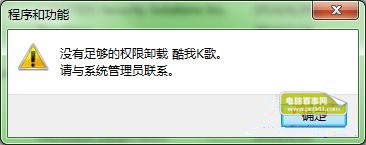
Windows 7 使用標準帳戶或 UAC 啟用時,透過「程式和功能」卸載某些軟體會提示「沒有管理員權限」。核心解法:直接以系統管理員身分執行軟體安裝目錄下的專屬卸載程式(`Uninstall.exe`、`unins000.exe` 等)。
操作步驟
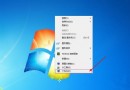
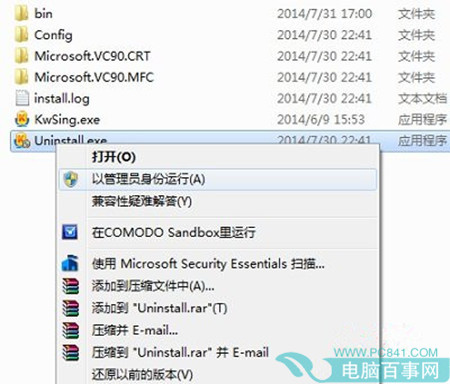
- 開啟軟體安裝目錄(程式和功能 → 右鍵軟體 → 「開啟檔案位置」)
- 尋找卸載執行檔:通常命名為 `Uninstall.exe`、`unins000.exe`、`uninst.exe`、或含「卸載」中文名稱
- 右鍵該檔案 → 選擇「以系統管理員身分執行」
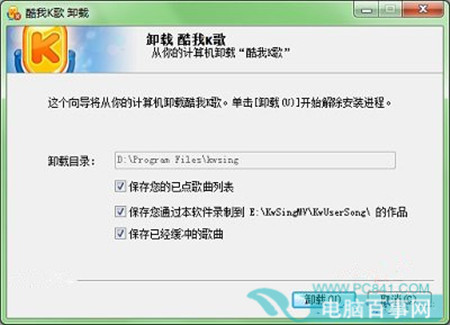
- UAC 提示點選「是」 → 彈出軟體原生卸載精靈 → 點選「卸載」/「下一步」
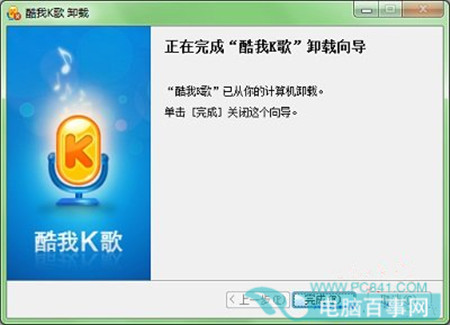
- 等待進度條完成 → 點選「完成」
進階補充
- 命令列強制卸載:管理員命令提示字元執行 `msiexec /x {ProductCode}`(從註冊表 `HKEY_LOCAL_MACHINE\SOFTWARE\Microsoft\Windows\CurrentVersion\Uninstall` 取得 ProductCode)
- 第三方強力卸載:Revo Uninstaller、Geek Uninstaller、BCUninstaller 掃描殘留檔案/登錄鍵值,支援強制移除頑固程式
- 系統元件卸載:控制台 → 程式和功能 → 「開啟或關閉 Windows 功能」移除 IE、Media Player、Windows Search 等
- 預防建議:日常使用標準帳戶,安裝/卸載軟體時以管理員身分執行安裝程式/卸載程式,而非關閉 UAC