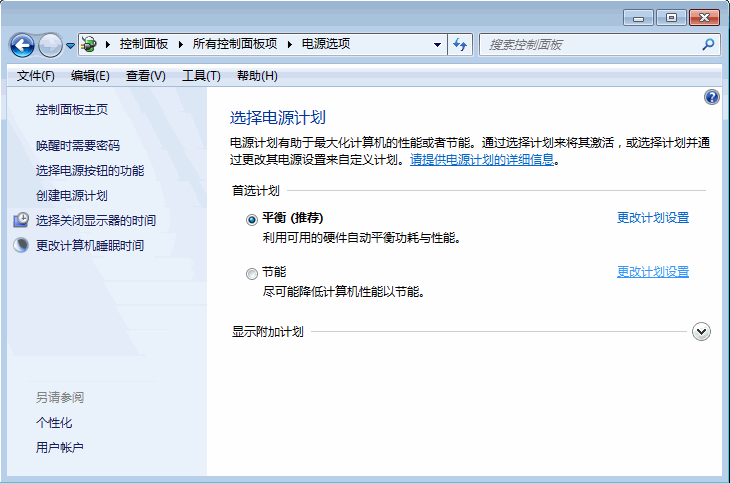
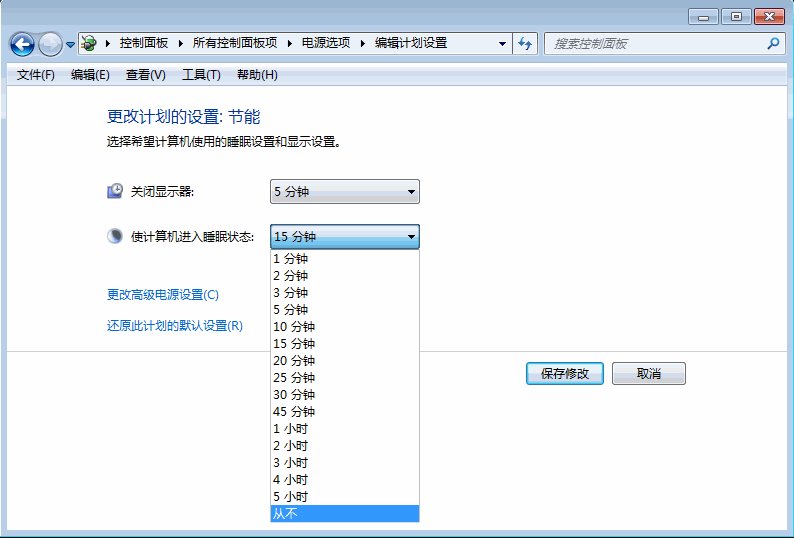
Windows 7 預設閒置一段時間自動睡眠/鎖螢幕,需作業時可改為「從不」睡眠。
同樣適用於 Windows 8/10(設定 → 系統 → 電源與睡眠 → 螢幕與睡眠均設「從不」)。
Win10 預覽版 10558 大量更新圖標,高分屏支援更完善
Windows 10 RedStone 重大更新更多細節曝光 明年推出非功能大躍進
阻止 Internet Explorer 自動升級至 IE10(登錄封鎖法)
深入了解 Windows 8 工作管理器:Metro 應用程式暫停機制
Windows 9 Storage Sense 儲存感知功能搶先看:多裝置儲存管理新體驗
Win8 關閉開機自動啟動程式,提升開機速度的兩大方法
Win8 升級 Win10 錯誤代碼 8007045D 導致失敗?PowerShell 執行 OA3xOriginalProductKey 修復授權狀態
IE11 彈出「管理增益集」提示框解決:重設瀏覽器或登錄檔修改臨時屏蔽