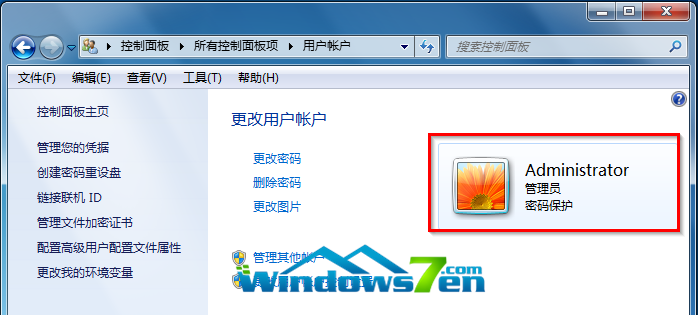
為保護資料安全,Win7 可為帳戶設定登入密碼:
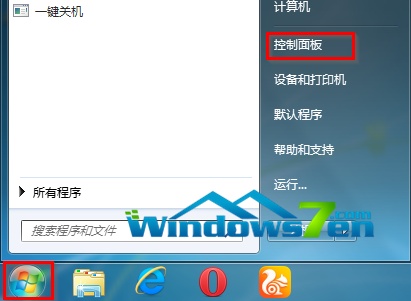
開始→控制台
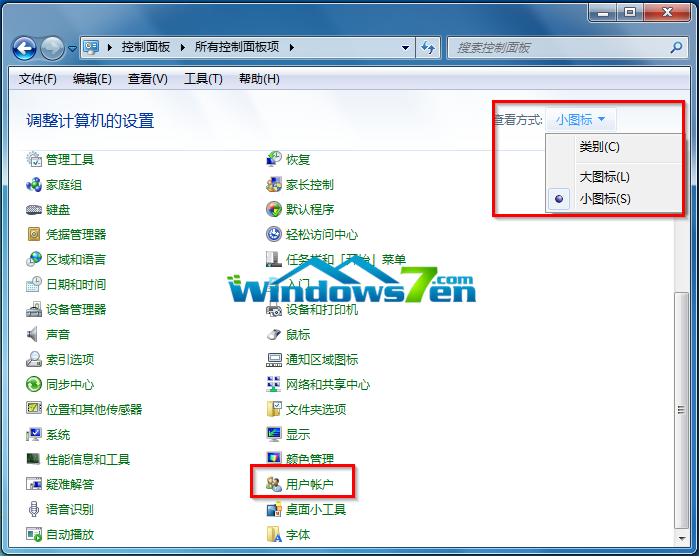
點擊用戶帳戶
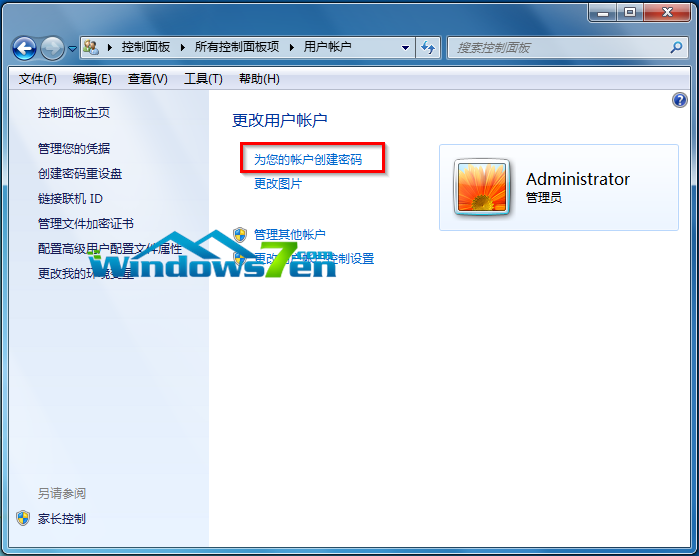
建立密碼入口
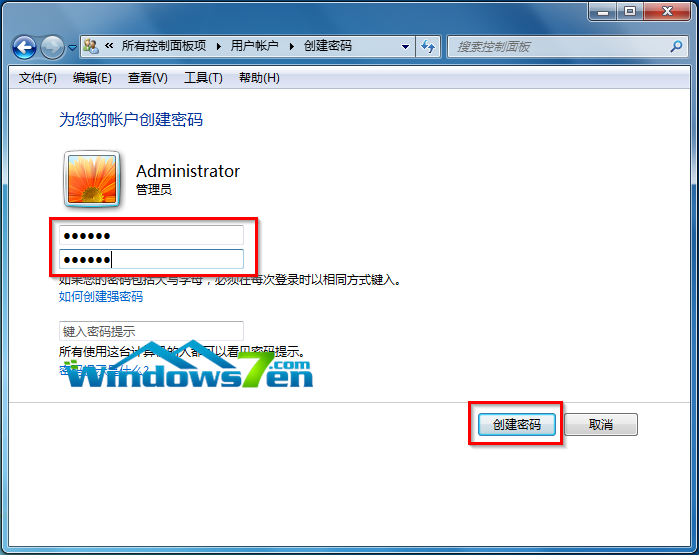
輸入並建立密碼
密碼保護啟用成功
簡單三步驟,守護電腦隱私。
Win10 開始選單/Cortana 嚴重錯誤無法工作?臨時解決方案與網友提供的 User Manager 服務修復法
Win7 登錄檔開啟立體聲混音:注冊表新增二進位值啟用內錄功能
Win8.1 快速開啟計算機三法:Win+R 路徑、Win+Q 搜尋、開始畫面向下箭頭
Win10 Mobile/PC 如何使用隨機無線網卡 MAC 位址防止追蹤?硬體支援下一鍵開啟
Windows 8 使用 RD 指令刪除頑固檔案/資料夾 (權限不足時也能刪除)
WinXP IE 無法開啟 Internet 站點提示 about:blank?完整修復教學
Win7 修改磁碟盤符完整教程:磁碟管理工具圖文詳解
Win10 版本升至 10586.112 累積更新 KB3140742 信息曝光