Windows XP Windows 7 Windows 2003 Windows Vista Windows 綜合教學 Linux 系統教學
Windows 10 Windows 8 Windows 2008 Windows NT Windows Server 電腦軟體教學
您现在的位置: Windows教程網 >> Windows教程 >  >> Windows 綜合教學 >> 關於 Windows

Windows 無法啟動提示 hal.dll 損壞或遺失?真兇是 boot.ini 錯誤,修復引導配置即可解決

編輯:關於 Windows

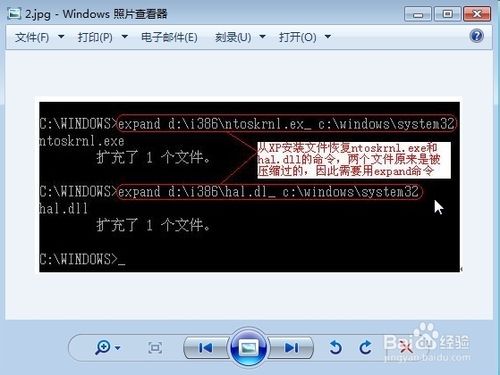
開機出現「Windows 無法啟動,因為 hal.dll 損壞或遺失」,表象是核心硬體抽象層檔案遺失,實則 90% 以上案例為 boot.ini 引導配置檔案錯誤 導致系統找不到正確啟動路徑。直接複製 hal.dll 無效,必須修復 boot.ini。

核心成因

  • Ghost 還原系統分區類型不符 (品牌機隱藏分區干擾)。
  • 非正常關機導致 boot.ini 損壞。
  • 超頻/記憶體故障引發檔案系統錯誤。

修復方案 (依難度排序)

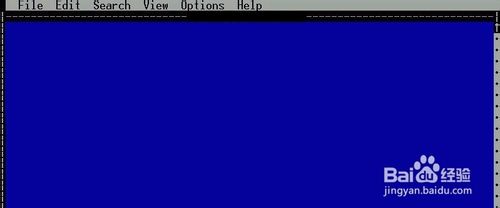
  1. DOS 啟動碟 + EDIT.COM 編輯 boot.ini (最基礎):
    開機進 DOS → EDIT C:\boot.ini → 修正為正確格式 (指向正確分區 \Windows) → 存檔重開機。
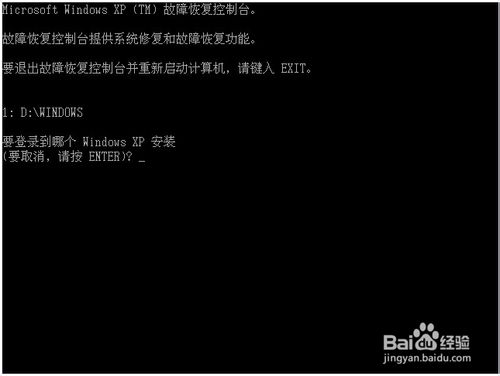
  2. Windows 安裝光碟進入修復主控台 (推薦):
    開機選「修復電腦」→ 命令提示字元 → bootcfg /rebuild 或 fixboot 重建 boot.ini。
  3. 他機建立正確 boot.ini + U 盤複製覆蓋 (不懂 DOS 指令者):
    正常電腦複製 boot.ini + hal.dll → U 盤 → 故障機 DOS 下 COPY 覆蓋 C:\ 與 C:\Windows\System32\。

正確 boot.ini 範例 (單系統 C 槽)

[boot loader]
timeout=30
default=multi(0)disk(0)rdisk(0)partition(1)\WINDOWS
[operating systems]
multi(0)disk(0)rdisk(0)partition(1)\WINDOWS="Microsoft Windows XP Professional" /fastdetect

關鍵提醒

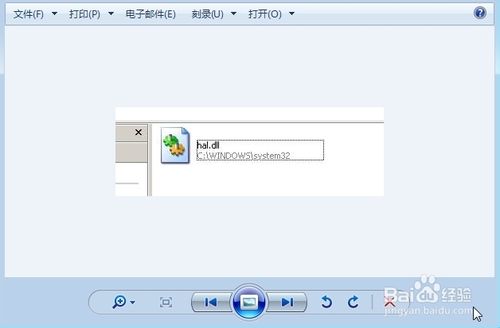
  • hal.dll 實際存在於 C:\Windows\System32\,錯誤訊息誤導使用者去補單一檔案。
  • 修復 boot.ini 後,系統即能正確定位 Windows 目錄載入 hal.dll。
  • 此問題多發生於 Windows XP/Server 2003 時代,Vista 後改用 BCD 儲存庫,同樣原理適用於 bcdedit/bootrec 修復。
Copyright © Windows教程網 All Rights Reserved