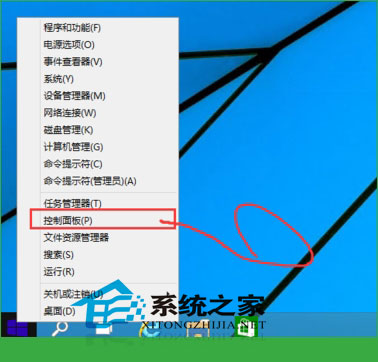
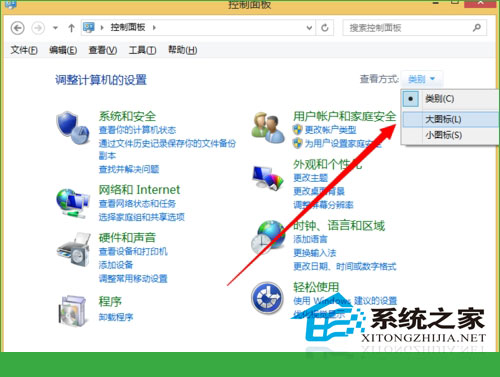
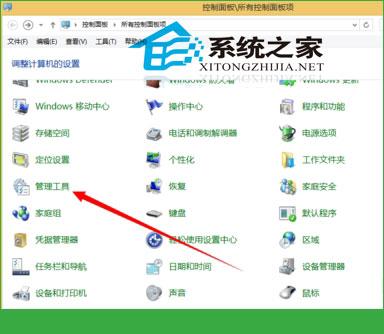
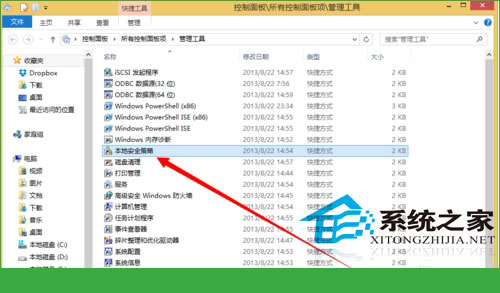
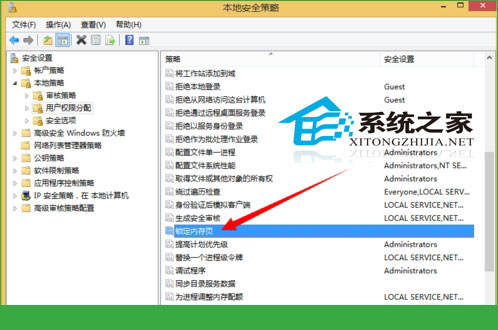
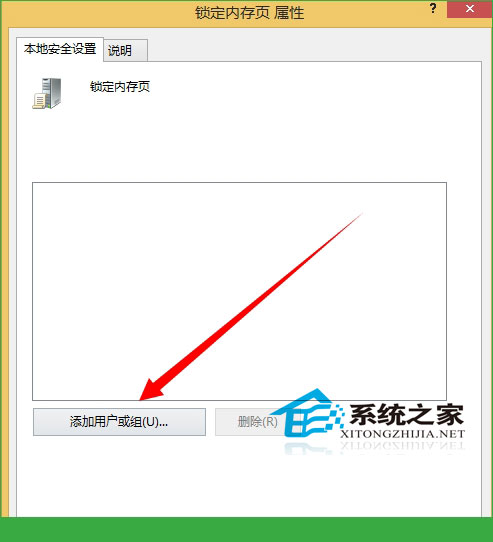
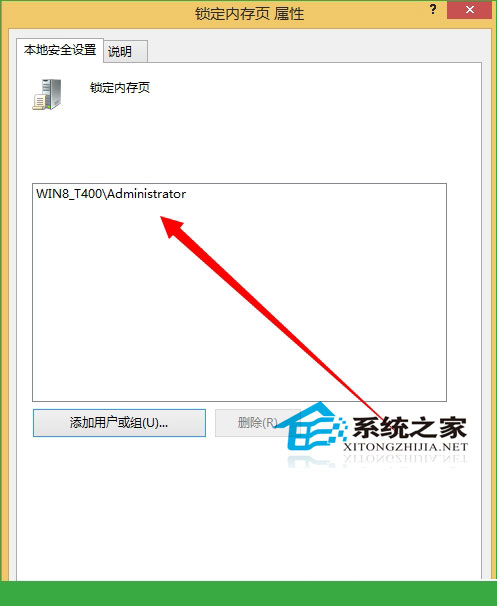
「鎖定記憶體分頁」是進階使用者與伺服器環境常用的權限設定,特別是在需啟用 AWE(Address Windowing Extensions)讓 32 位元應用程式存取超過 4GB 記憶體時不可或缺。本文提供 Windows 10 完整操作步驟。
注意:此權限涉及核心記憶體管理,僅建議具備專業知識的使用者或資料庫管理員(如 SQL Server)啟用。一般家用環境無需設定。
Win10 如何關閉 IE11 瀏覽器?控制台關閉 Windows 功能教學
Win10 變更個人資料夾預設儲存位置至 D 槽,避免 C 槽爆滿
Win7 設定存取共享資料夾每次需輸入帳號密碼,防止憑證被記住
Win7 工作列右下角隱藏圖示三角形不見了怎麼辦?
Win10 IE 瀏覽器打開報錯 0xc0000018?註冊表權限修復 + IE 重置雙管齊下
Windows Phone 8.1 螢幕截圖快速鍵:電源鍵 + 音量上鍵
Win10 快速啟動功能設定教學:加速開機體驗
微軟正式發布 Win10 十一大亮點:免費升級、Cortana 上桌面、通用應用、Spartan、Xbox 融合、Surface Hub、HoloLens、OneDrive 音樂