遠端桌面讓使用者跨裝置控制電腦,企業與技術支援常用功能。Win10 提供多種啟動管道:
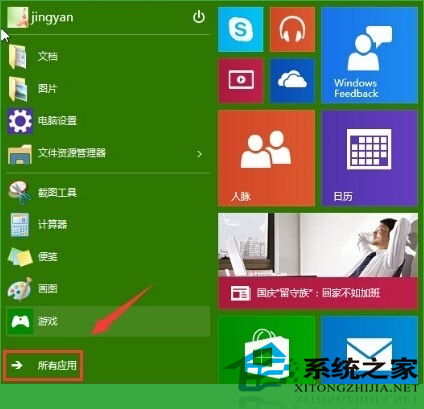
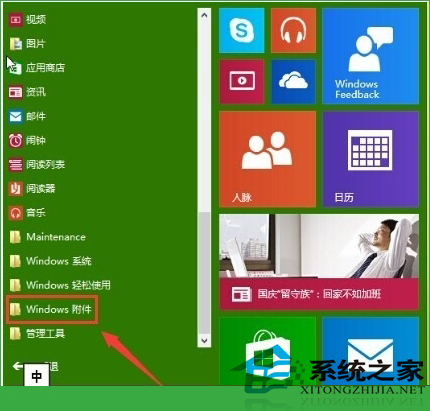
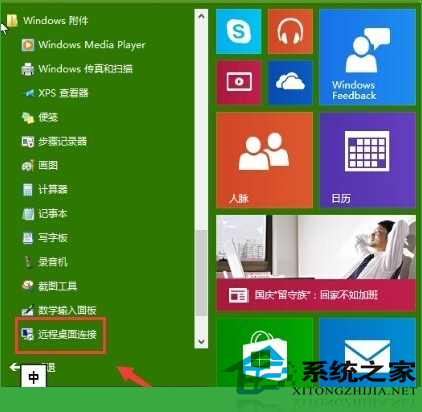
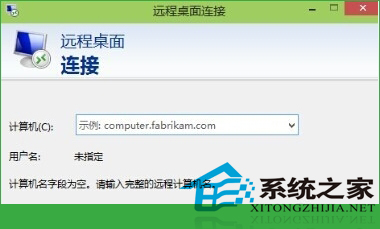
mstscmstsc → 確定/按 Enter。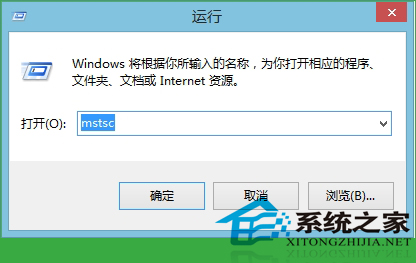
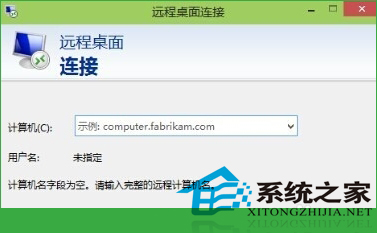
遠端桌面連線視窗開啟後,輸入目標電腦 IP/電腦名稱即可發起連線。建議預先於目標電腦「系統屬性 → 遠端」啟用「允許遠端連線」。
Windows 32 位元 vs 64 位元:記憶體支援上限完整解析
Win10 鎖定畫面設定完整教學:Windows 預設、自訂圖片、幻燈片放映三模式切換
Windows 7 開機滑鼠動不了?排除硬體/USB 接口後,檢查裝置管理員 USB Root Hub 電源管理設定
Windows 7 內建磁碟清理工具使用教學:釋放磁碟空間、提升效能
微軟官方 Windows 10 升級矩陣圖表曝光:Windows RT 裝置無緣升級
Win7 隱藏共享資料夾與無權限資料夾:ABE 插件與第三方管理軟體雙方案