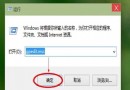
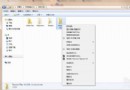
Win10 預覽版強制自動更新且無介面關閉選項。可透過破壞 SoftwareDistribution\Download 目錄結構阻擋更新下載。
SoftwareDistribution\Download
D:\Windows\SoftwareDistribution\Download
DDDLLL
Download.txt
Download
相關技巧:有效阻止 Win10 背景下載更新後自動重啟電腦。
Win7 音量已滿但聲音很小?啟用「響度平衡」一鍵增益
Windows 10 預覽版 9860 關閉視窗動畫特效教學:提升流暢度
Win10 Build 10056 啟用隱藏多彩主題:登錄表修改解鎖個人化色彩方案
Windows 10 迄今最大福利:Build 10147 支援從 Win 7/8/8.1 直接降級,免費升級用戶獲「後悔藥」
Win10 內部版本 Build 9867 已完成,攜帶桌面版 Cortana 語音助手,目前僅限合作夥伴測試
Win10 首版 (10240.17113) 累積更新:IE11、Kernel、列印、虛擬智慧卡、PIN 登入等修復
Windows 8.1 安裝 CorelDRAW X4 導致常駐程式閃退解決方案
Win8.1 錯誤代碼 0x80072f8f 解決法:同步網路時間修正系統時鐘