Windows 10 引入類似 macOS 的多桌面 (虛擬桌面) 功能。雖可透過工作檢視按鈕新增/切換桌面,但鍵盤快速鍵更高效。
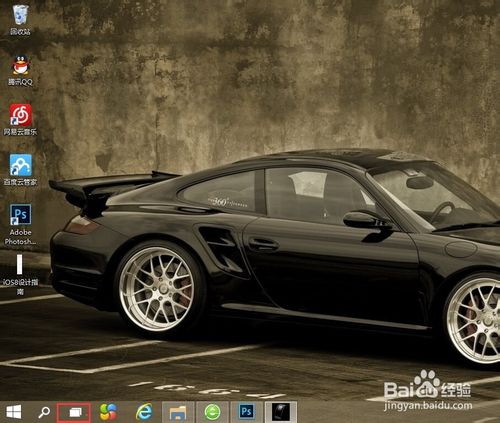
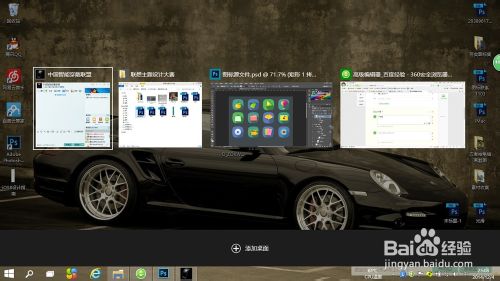
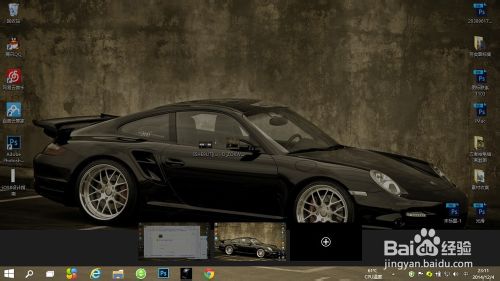
備註:Win 鍵即鍵盤左側 Alt 旁的視窗徽標鍵。
Win8 禁止開始畫面磚塊被隨意移動/刪除:群組原則啟用「防止使用者自訂開始畫面」
Windows 10 UWP 應用程式閃退?wsreset 清除快取一鍵修復
Win10 開始選單打不開?重新啟動 User Manager 服務解決
Win7 連接小米藍牙耳機提示「週邊裝置安裝失敗」?裝 Atheros 驅動搞定
Win10 Mobile Build 14269 截圖曝光:脫胎換骨,速度飆升
刪除 C 槽檔案需要權限?一分鐘奪回 Windows 系統最高權限(含 Win8/8.1 註冊表一鍵加入右鍵選單)