gpedit.msc
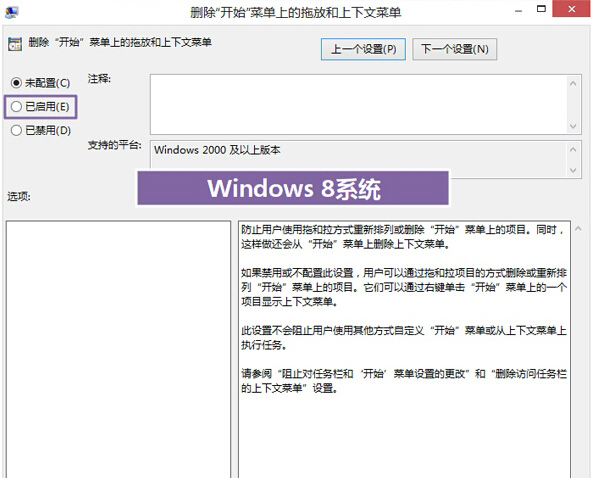
設定後開始畫面磚塊鎖定,避免誤操作或他人更動。
Win7 桌面顯示「電腦」、「文件」、「網路」、「IE」等系統圖示完整教學
Windows XP 設定 DNS 伺服器圖文教學:以 114DNS 為例
Win7 移除/修復程式:控制台「程式和功能」四步驟完成
Windows 10 官方中文頁面上線 確認免費升級政策與企業版例外
Win8 執行程式提示「佔位程式接收到錯誤資料」?SFC 掃描修復 + 新建管理員帳號
Win7 滑鼠游標拖尾現象解決:關閉「顯示指標軌跡」
Win10 小娜 (Cortana) 新增待辦事項清單功能:語音建立、管理、整合 Wunderlist
Win10 Mobile 原生「Microsoft 相片」更新:版本 15.803.17032,專注修錯與效能提升