xlive.dll 為 Microsoft Games for Windows LIVE (GFWL) 核心元件,常因病毒掛馬/殺毒誤刪導致損壞,遊戲啟動報「無效的 Windows 映像」。提供三種修復方案。
方法一:金山衛士掃描修復(自動化)
- 安裝金山衛士 →「查殺木馬」→「快速掃描」→ 發現威脅「立即處理」→ 重開機。
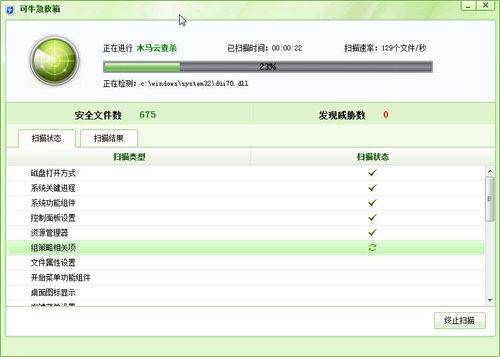
方法二:可牛殺毒系統急救箱(專項修復)
- 下載可牛 U 盤專殺/系統急救箱 → 掃描 → 依提示修復 GFWL 相關項目。
方法三:手動註冊表修正 CSDVersion 欺騙系統版本(進階)
- Win+R →
regedit → 備份註冊表。
- 定位:
HKEY_LOCAL_MACHINE\SYSTEM\CurrentControlSet\Control\Windows
- 雙擊
CSDVersion,將值從 200 (SP2) 改為 300 (SP3)。
- 重開機,系統以 SP3 身分載入 GFWL 組件,繞過版本檢查錯誤。
根本建議
- GFWL 服務已於 2014 年停運,現代遊戲多已移除 GFWL 依賴(改用 Steamworks/自家平台)。
- 舊遊戲建議尋找「去 GFWL 補丁」或「離線模式啟動器」徹底解決相容問題。
- 同樣適用於 Win7/Win8/Win10 遇到 xlive.dll 錯誤的情境。