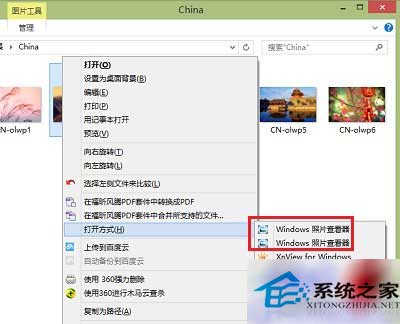
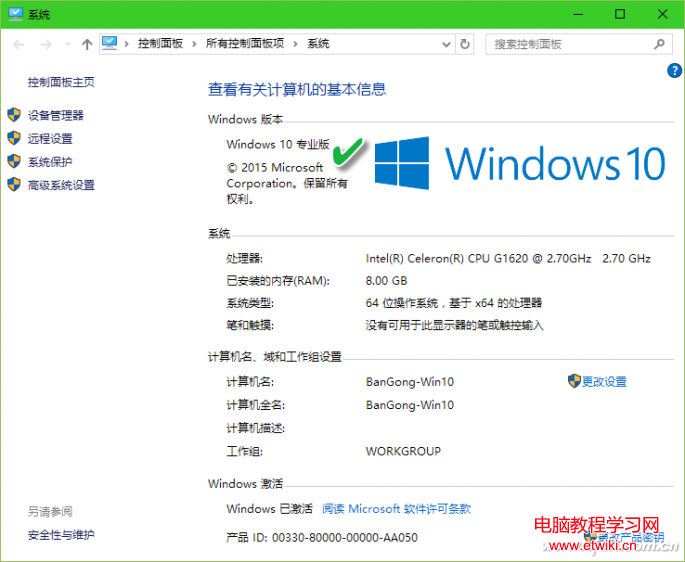
安裝第三方看圖軟體後,圖片右鍵選單的「開啟方式」中出現兩個「Windows 相片檢視器」,這是 64 位元系統上註冊表殘留導致的重複項目。
C:\Program Files
C:\Program Files (x86)
第三方軟體安裝時可能將 32 位元版相片檢視器註冊到 64 位元系統路徑,導致註冊表出現雙重關聯。刪除多餘的程式資料夾可讓系統自動修正檔案關聯。
Windows 10 技術預覽版啟動 Metro 版 IE11 瀏覽器:PowerShell 腳本教學
Win8 視窗邊框太寬浪費螢幕空間?修改登錄檔一鍵變窄
Windows 7 徹底清除搜尋歷史紀錄兩招:群組原則停用記錄或手動刪除關鍵字
Windows 10 正式版相容絕大多數 Win7/8.1 應用,升級前可用升級顧問評估
【動圖】Windows 10 開機動畫概念設計:善用 Hero 壁紙光線流動效果,極具視覺衝擊
Windows 7 瀏覽器無法彈出 CMCC-EDU 登入頁?廣告攔截攔截彈出視窗
Win7 ADSL 撥號上網自動連線完整設定教程:建立連線、加速撥號、開機自動撥號、隱藏視窗
Win7 桌面資料夾全變 .exe 檔?病毒感染特徵與解毒步驟