用 OneKey Ghost 8.1 備份系統後重開機,指定儲存磁碟顯示容量增加卻看不見 Ghost 資料夾與 .GHO 檔,常因 NTFS 權限或隱藏屬性導致。
找回步驟
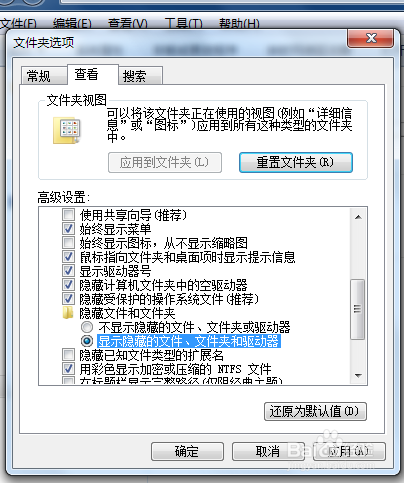
- 開啟資料夾選項 → 「檢視」→ 勾選「顯示隱藏的檔案、資料夾及磁碟機」。
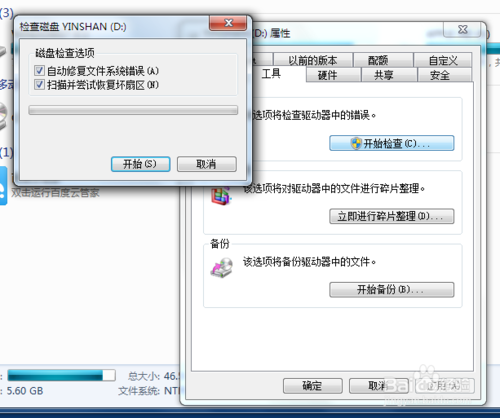
- 該磁碟右鍵 → 「內容」→「工具」→「檢查」→ 兩項皆勾選 → 開始修復(可能需重開機執行)。
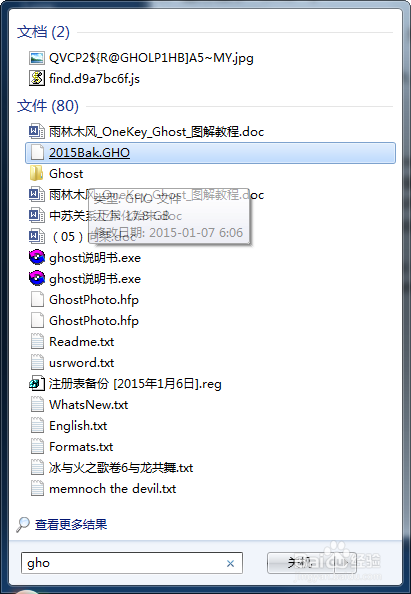
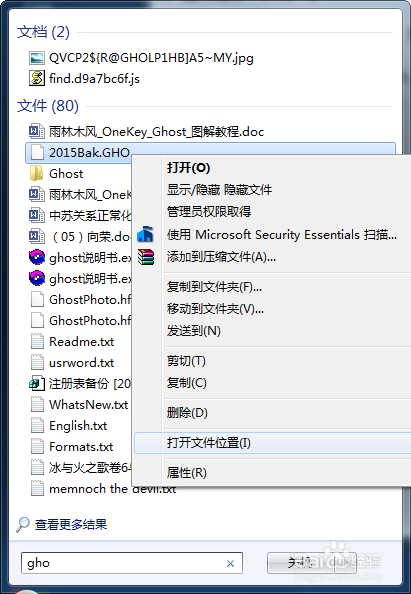
- 開始選單搜尋 .GHO 檔名 → 右鍵搜尋結果「開啟檔案位置」。
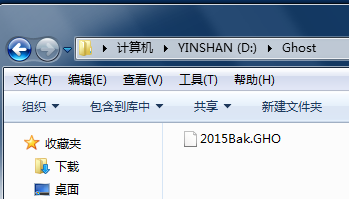
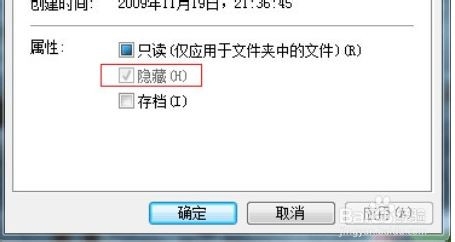
- 發現 Ghost 資料夾屬性為「隱藏」且灰色無法修改。
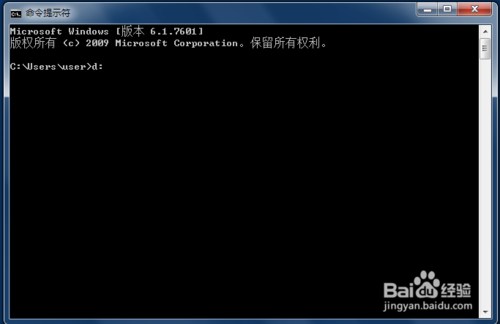
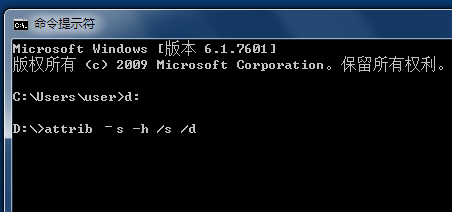
- 以系統管理員開啟 CMD → 切換到該磁碟(如
D:) → 執行 attrib -s -h /s /d 移除系統/隱藏屬性。
- 重新整理磁碟,Ghost 資料夾與 .GHO 檔案重現。
補充:步驟 2 修復磁碟錯誤後有時直接可見;搜尋到檔案也可嘗試剪貼到其他資料夾;若需重開機修復,請耐心等待完成。