Windows Time 服務啟動類型為「自動」卻無法啟動,提示錯誤 1058:服務已停用或相關裝置未啟動。解決方法是變更服務登入身分:
services.msc,找到「Windows Time」,右鍵「內容」。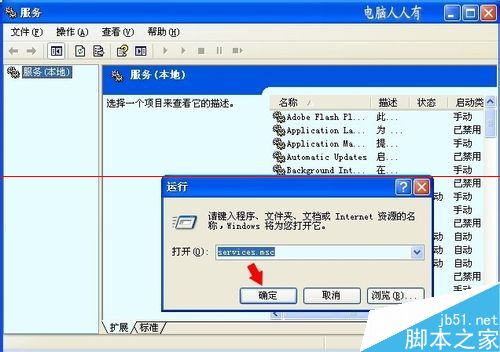
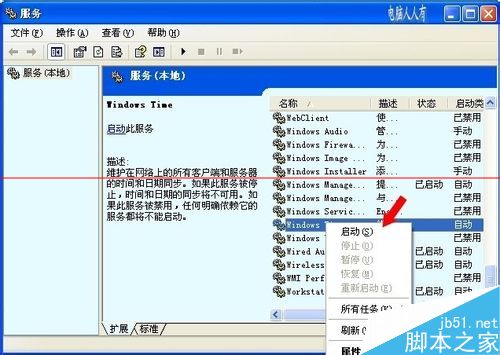
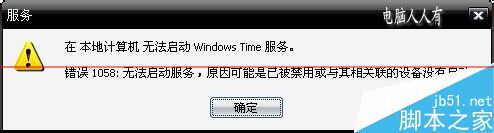
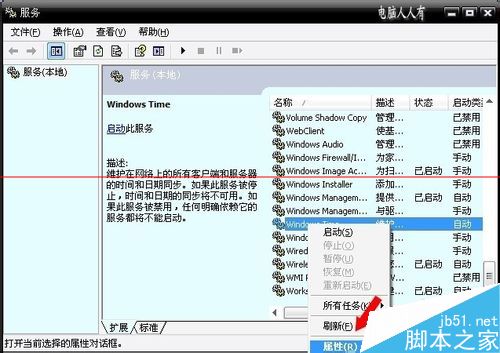
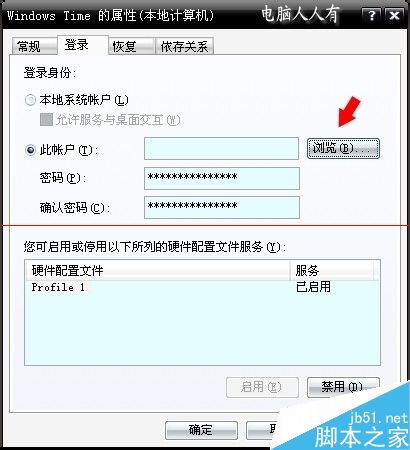
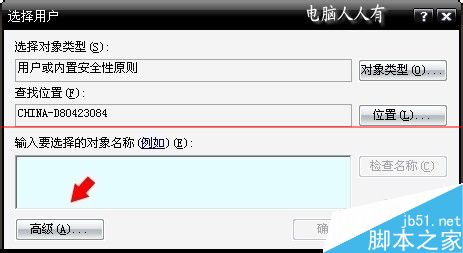
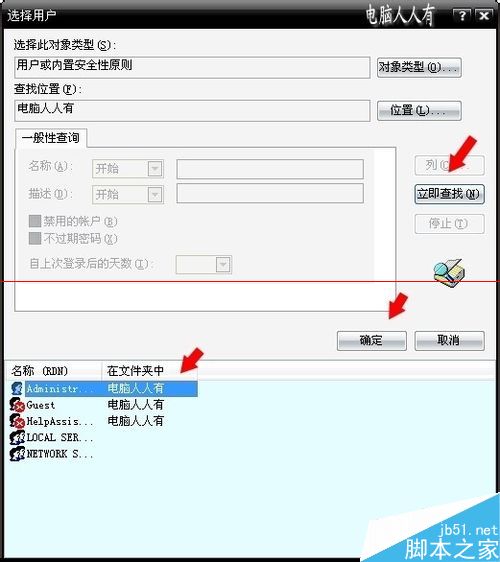

此問題常因服務帳號權限不足導致,修正登入身分後即可恢復時間同步功能。
Win10 如何啟用「嘿 小娜」語音喚醒 Cortana?訓練聲紋與設定全攻略
Win10 資料夾不自動重新整理?登錄檔新增 UpdateMode DWORD=0 強制啟用自動刷新
Windows 7 小工具 (Gadgets) 重返 Windows 10:Gadgetarian 安裝完整教學與 DPI 修復
Win7 家用版升級旗艦版完整教學:Windows Anytime Upgrade 金鑰驗證步驟
Windows 10 Build 10147 自製中文版 ISO 下載 (含雜湊驗證、KMS 金鑰、安裝注意事項)
Win8/8.1 IE11 新分頁設定與網銀密碼無法輸入解決方案 (相容性檢視)