Win7 資料夾假死解決方案:
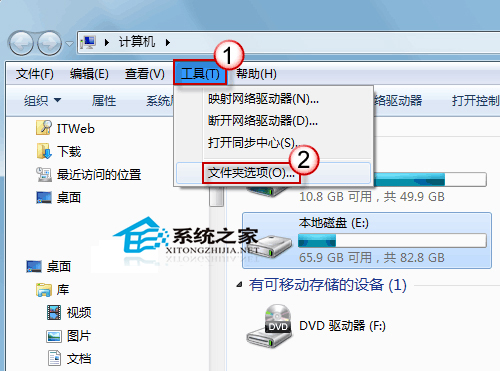
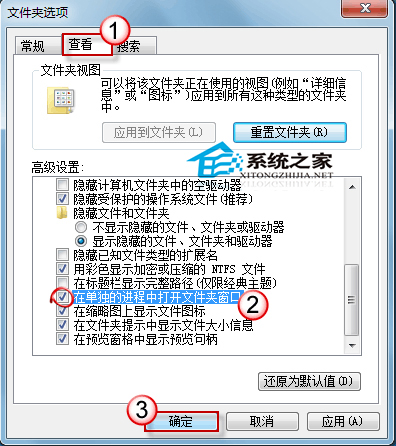
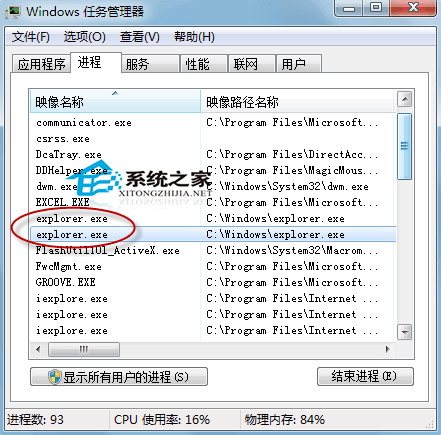
Win+E 開啟總管 → 「工具」→「資料夾選項」 (若無工具列按 Alt 調出) → 「檢視」索引標籤 → 勾選「在單獨的程序中開啟資料夾視窗」。此後開啟資料夾另開新視窗,任務管理員會見兩個 explorer.exe,一個卡死不影響其他。
explorer.exe
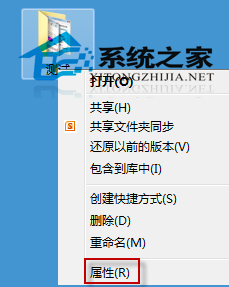
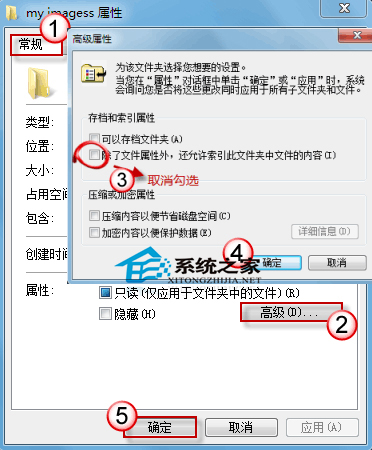
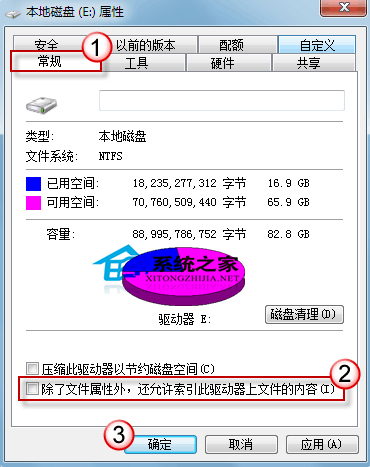
大資料夾系統會先掃描建立索引,導致 CPU 高佔用。可暫時關閉預覽、縮略圖、索引加速:
Windows Server 2003 網路伺服器安全佈署完整攻略
Win10 預覽版啟用開始選單跳躍清單:註冊表 EnableXamlJumpView=1 步驟詳解
Win8 藍屏代碼查看教學:使用 BlueScreenView 分析 DMP 檔案找出崩潰原因
Win7 如何查看電腦開關機紀錄?三大實用方法完整教學
Win10 自訂資料夾/捷徑圖示:右鍵內容→自訂→更換圖示,支援 .bmp 轉 .ico 免轉檔
Windows Insider 如何註冊?官方網站與帳號註冊步驟圖解
Win7 內部版本 7601 提示「此副本非正版」完整解決方案(含服務重啟、激活工具、重裝鏡像)
Win10 執行程式報錯 0xc000007b?缺少 DirectX 9.0 與 VC++ 執行庫,補裝即可解決