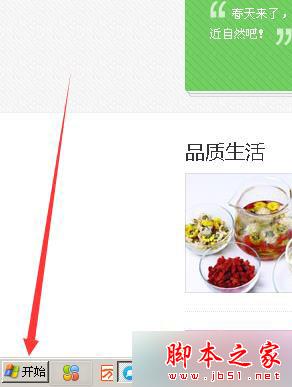
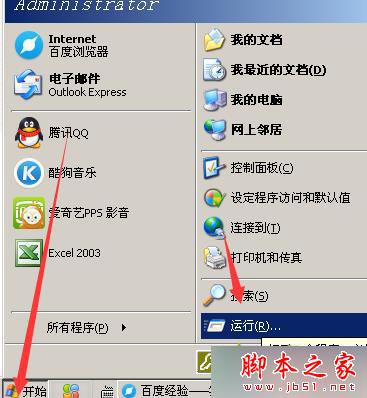
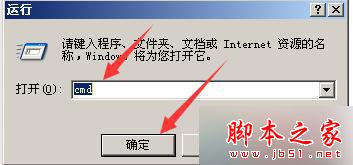
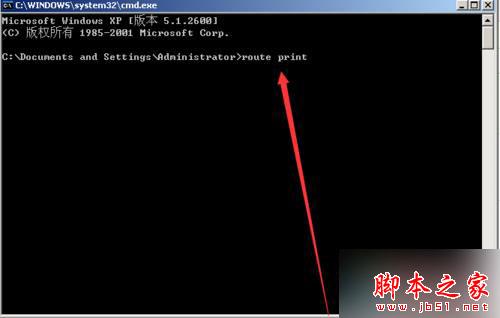
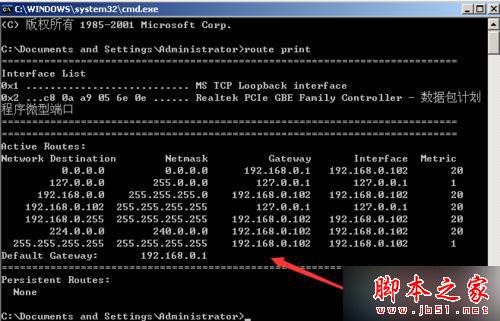
WinXP 透過命令提示字元指令 route print 即可顯示完整 IPv4 路由表。以下為操作步驟:
route print
cmd
route print -4
route print -6
route add/delete/change
Windows 10 用戶最期待十大改變:任務列搜尋/虛擬桌面按鈕可隱藏居冠
Win7 遠端桌面提示「您的遠端桌面會話已結束」?三步修復:啟動服務、註冊表權限、匯入鍵值
中文 Win7 開機選單變英文?BCDEDIT 指令一鍵修正語言為繁體中文
Win10 如何查看系統是否永久啟動?四條 CMD 指令快速檢查授權狀態
Win10 RTM 候選版 Build 10176 鏡像洩露:64 位簡體中文企業版下載
Windows 10 Build 10151 簡體中文版洩露:多圖搶先預覽新功能
Windows 8 通知區域圖示管理完整教學:顯示/隱藏、系統圖示設定
WP8.1 / Android 通訊錄名字被截斷?將聯絡人存手機而非 SIM 卡即可完美顯示