Win10 預設在工作列顯示 Cortana 搜尋列,佔據空間。可依喜好調整:
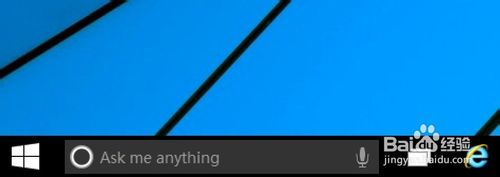
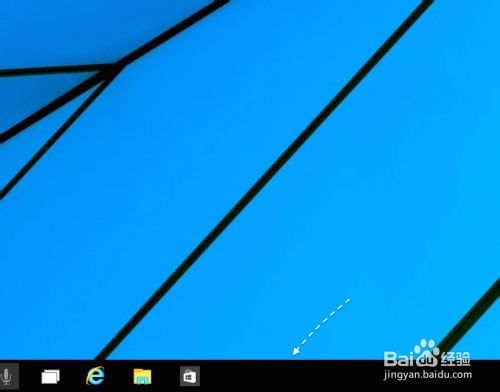
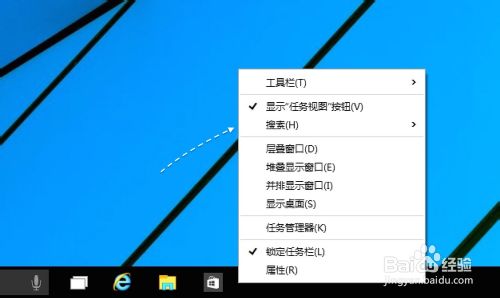
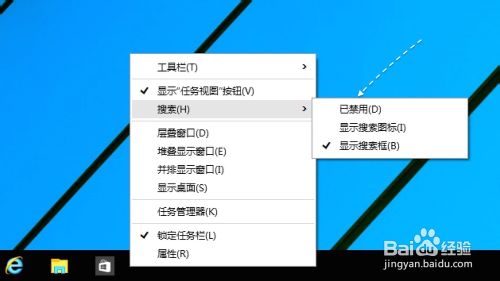
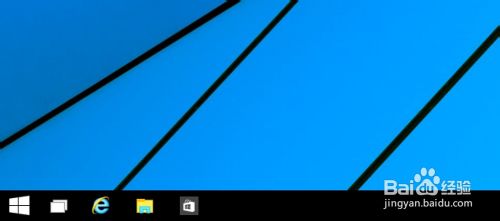
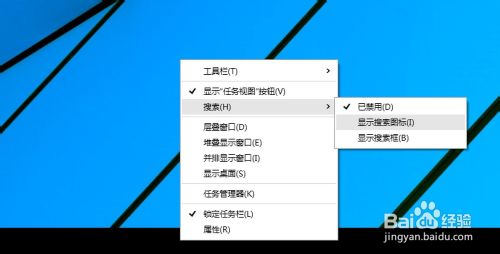
選擇「顯示搜尋圖示」兼顧美觀與功能,推薦給不常用語音助理的用戶。
Windows 執行指令大全:Win+R 秒開神器,效率倍增
Windows 7 提示「Windows 可能沒有合適的權限存取檔案」?修復 .exe 檔案關聯指令
Windows Server 自動備份資料批次檔:定時備份遠端主機並自動清理舊檔
Windows 8 RP 版安裝 Windows Media Center:輸入通用金鑰 MBFBV-W3DP2-2MVKN-PJCQD-KKTF7 免費啟用
找不到 $Windows.~BT 資料夾?確認 SP1/關鍵更新 KB3035583 已安裝並啟用顯示隱藏檔案