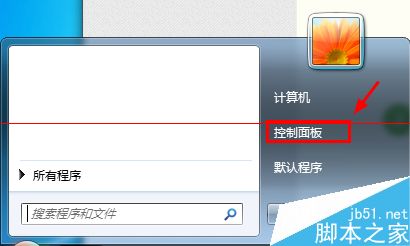
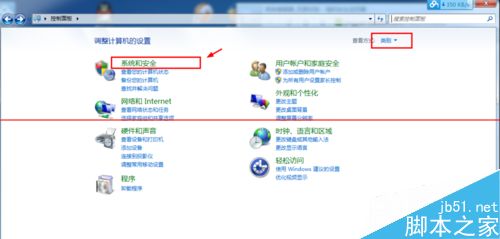
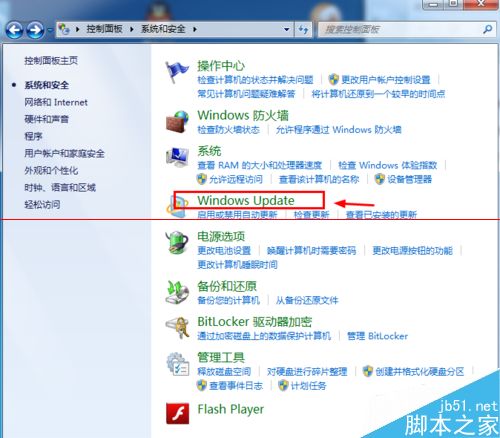
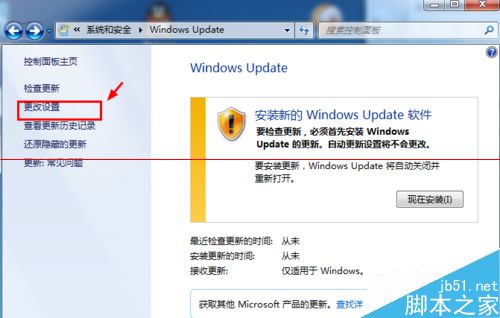
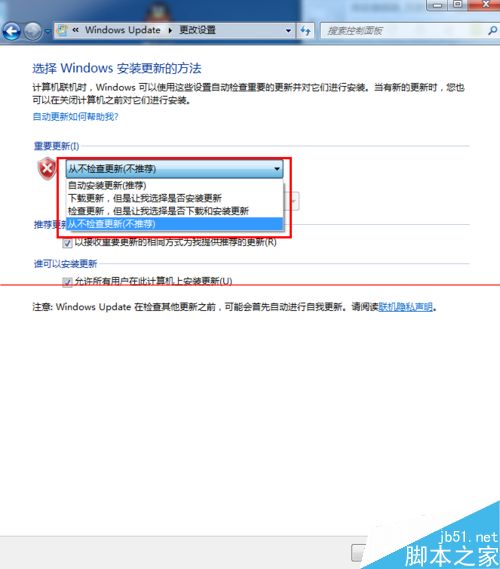
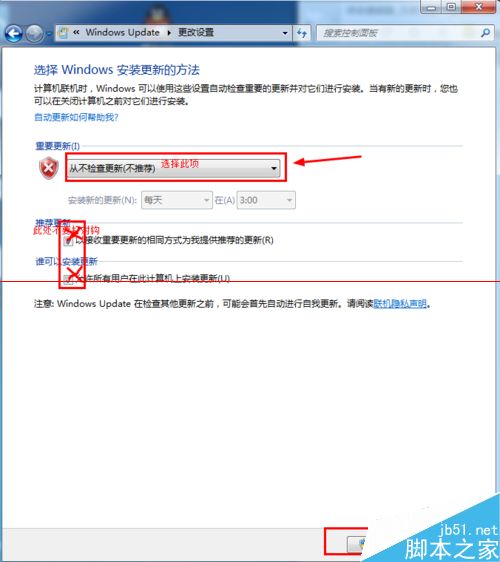
Win7 關機時強制安裝更新導致等待過久?徹底解決:關閉 Windows Update 自動更新,改用 360/金山等殺毒軟體內建「漏洞修補」功能按需更新,避免關機卡住同時保持安全。
主流國產殺毒軟體 (360安全衛士、金山衛士、騰訊電腦管家等) 均內建「漏洞修補/系統修復」功能,掃描後可選擇性安裝必要補丁,**不會在關機時強制安裝**,體驗遠優於原生 Windows Update。
此法雙贏:關機秒關機,安全補丁不遺漏。
Win8 修改遠端桌面預設埠 3389 圖文教學:登錄表雙重修改 + 防火牆例外
Windows 8.1 螢幕忽明忽暗自動調整亮度問題解決:關閉自適應亮度與顯示卡切換設定
Win10 攝影機錯誤 0xA00F4273 解決方案:驅動人生一鍵修復攝像頭無影像
微軟宣布:10月31日停售 Win8 零售版與預裝 Win7 家用版 PC
Win10 飛行模式關不掉?四大排查法:設定頁關閉、更新重啟、物理無線開關、重裝網卡驅動
Windows 10 Build 9879 命令提示字元終於支援全螢幕模式:Alt+Enter 一鍵切換
Win8 設定電源「節能模式」延長電池壽命與硬體壽命
Windows 7 連線至工作區 (VPN) 完整圖文設定教學