Windows XP Windows 7 Windows 2003 Windows Vista Windows 綜合教學 Linux 系統教學
Windows 10 Windows 8 Windows 2008 Windows NT Windows Server 電腦軟體教學
您现在的位置: Windows教程網 >> Windows教程 >  >> Windows 綜合教學 >> 關於 Windows

Win10 預覽版 10029 官方下載鏈接與升級資訊 (含 9926/9933 歷史版本)

編輯:關於 Windows

Windows 10 Technical Preview 持續快速迭代。Build 10029 (2015 年 2 月編譯) 已現身網路,內測用戶可透過 Windows Update 直接升級,或至官方 ISO 下載頁面獲取安裝映像。本文彙整相關資訊。
版本時間軸

  • Build 9926 (2015/01):** 引入新版開始選單、Cortana、設定應用等重大功能。
  • Build 9933:** 內部版本,傳聞將帶回 Aero Glass 透明效果。
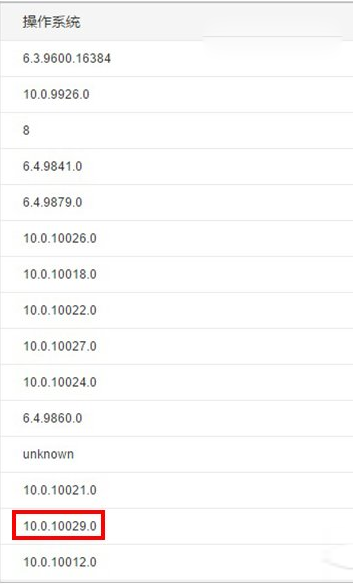
  • Build 10029 (2015/02/25 編譯):** 最新公開預覽版,修正大量錯誤、優化現代應用效能、改進平板模式。

獲取方式

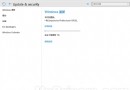
  1. 內測用戶升級: 設定 → 更新與安全性 → Windows Update → 檢查更新,直接下載安裝 10029。
  2. ISO 映像下載: 訪問微軟官方 Windows Insider ISO 下載頁面 (需 Microsoft 帳戶登入),選擇語言、版本 (Home/Pro)、架構 (x64/x86) 下載。

Build 10029 編譯資訊

注意事項

  • 預覽版**不建議安裝於主力生產環境**,可能存在嚴重 Bug 導致資料遺失。
  • 升級前請完整備份重要資料。
  • 若從 9879/9926 升級,建議全新安裝 (Custom Install) 獲得最穩定體驗。

微軟承諾 Windows 10 正式版將對 Win7/8.1 合格裝置免費升級一年,預覽版體驗旨在收集回饋完善最終產品。

Copyright © Windows教程網 All Rights Reserved