Windows XP Windows 7 Windows 2003 Windows Vista Windows 綜合教學 Linux 系統教學
Windows 10 Windows 8 Windows 2008 Windows NT Windows Server 電腦軟體教學
您现在的位置: Windows教程網 >> Windows教程 >  >> Windows 綜合教學 >> 關於 Windows

Windows 本機群組原則無法開啟 MMC 錯誤 修復 Path 環境變數解決

編輯:關於 Windows

開啟本機群組原則(gpedit.msc)提示「MMC 無法建立管理單元」,主因是系統 Path 環境變數缺少關鍵路徑。修復方法:

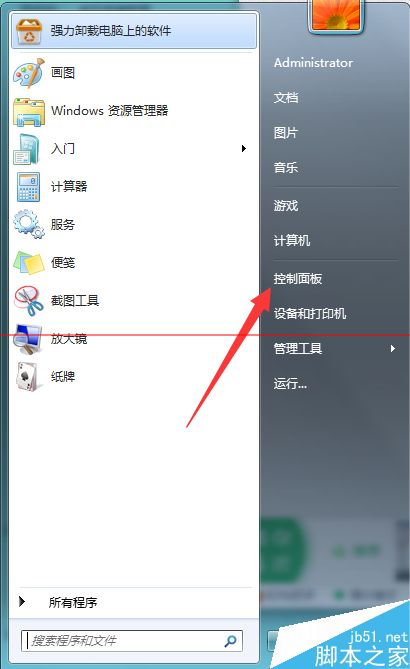
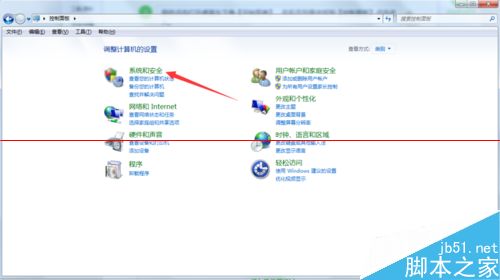
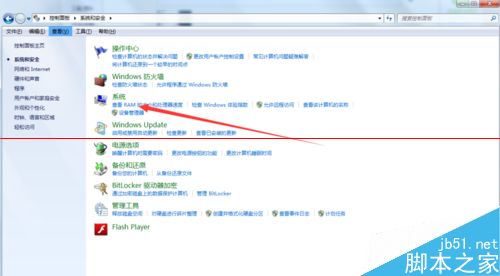
  1. 控制台 →「系統及安全性」→「系統」。
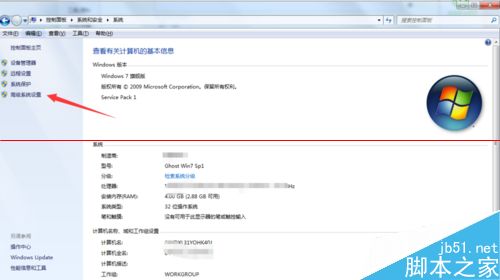
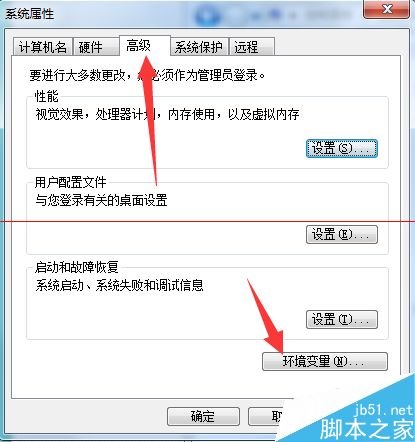
  2. 左側「進階系統設定」→「進階」頁籤 →「環境變數」。
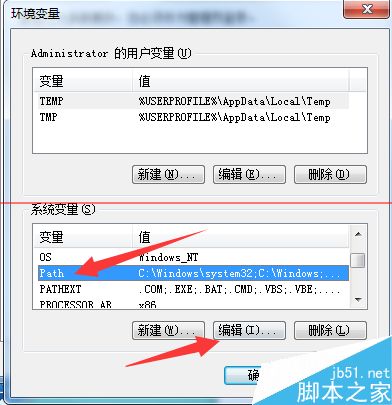
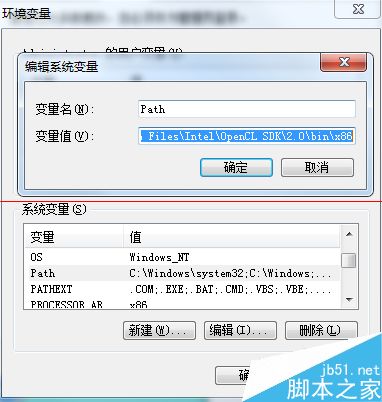
  3. 系統變數中找到 Path,編輯並在最前面加入:
    %SystemRoot%\system32;%SystemRoot%;%SystemRoot%\system32\WBEM
  4. 確定儲存,重新開啟 gpedit.msc 即可正常運作。

相關推薦: 平板 Windows 應用全螢幕、Windows 無法安裝到 GPT 分區、Windows 開機密碼嘗試次數、KB3001652 導致電腦鎖死、Windows 無法識別時區

Copyright © Windows教程網 All Rights Reserved